Corrupt or black window for some applications

Discussion in 'Parallels Desktop on a Mac with Apple silicon' started by JohnD113, Jul 11, 2025.

  1. JohnD113

    JohnD113 Bit poster

    Messages:
    4
    This has been an intermittent problem for me since switching to Parallels for Apple Silicon.
    Sometimes after a Windows 11 update, the display for some apps is corrupt or black.
    It usually affects Microsoft Edge and the Terminal App:

    upload_2025-7-11_17-56-7.png

    upload_2025-7-11_17-55-37.png

    Removing Parallels tools fixes the display for these apps, reinstalling it corrupts the display.
    Any suggestions?
     
  2. JohnD113

    JohnD113 Bit poster

    Messages:
    4
    Well, I figured it out myself with the help of Perplexity.
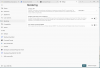
    First, I turned on Software Rendering (WARP) in Terminal which fixed the black screen:

    upload_2025-7-17_11-12-59.png

    That made me realize that it is a graphics rendering issue.
     
  3. JohnD113

    JohnD113 Bit poster

    Messages:
    4
    Then I ran this:
    sfc /scannow
    Which reported some of the graphics drivers were corrupt and it repaired them.
    Now all of the Edge, Chrome and Terminal pages render correctly.
     
  4. JohnD113

    JohnD113 Bit poster

    Messages:
    4
    Problem returned.
    sfc /scannow did not fix the issue.
     

Share This Page