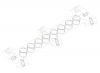
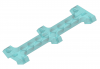
Creo Parametric can not show models correctly

zpone

Bit poster
My machine is 16-inch M3 Max Macbook Pro with Tahoe 26.4.1, and the Parallels Desktop version is 26.3.2.
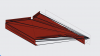
All the model files seems fragmented when I opened it with Creo which installed in Parallels Desktop. Please see the attached file for details.
Tried Creo 4.0 and Creo 12.4, the same issue.
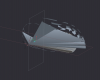
 

Attachments

  • ScreenShot_2026-05-05_005922_928.png
    ScreenShot_2026-05-05_005922_928.png
    54.6 KB · Views: 14
My machine is 16-inch M3 Max Macbook Pro with Tahoe 26.4.1, and the Parallels Desktop version is 26.3.2.
All the model files seems fragmented when I opened it with Creo which installed in Parallels Desktop. Please see the attached file for details.
Tried Creo 4.0 and Creo 12.4, the same issue.
Hello @zpone
We have created a support ticket to assist you.
Regards,
 
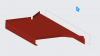
I have 2019 MacBook with intel chip running Tahoe 26.5 and Parallels desktop 26.3.2. I recently upgrade Creo from 7.0 to 12.0. The display shading with edges is not working correctly. There are a lot of extra lines showing up. If changed to shading only, the model display is OK. But, I really like the style shading with edges to enhance the parts. looks like this is graphic issue. How is Parallels handle the graphic? I have AMD Radeon Pro 5500M 8GB graphic card in my machine. Does Parallels using this graphic card or using VM graphic card?
 

Attachments

  • Creo 12 shading with edges.png
    Creo 12 shading with edges.png
    130.4 KB · Views: 8
  • Creo12 shading only.png
    Creo12 shading only.png
    70.2 KB · Views: 6
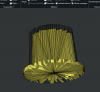
Hello, I've got the same problem. Graphics are wrong.
I use Parallels Pro 26.3.3 (57507)
Creo 12.4.4
Is Parallels 26.2.2 more suitable for this problem? Is it possible to downgrade the version?

Thanks for your support.
 

Attachments

  • CleanShot 2026-06-16 at 21.48.07@2x.png
    CleanShot 2026-06-16 at 21.48.07@2x.png
    804.4 KB · Views: 6
Hello, I've got the same problem. Graphics are wrong.
I use Parallels Pro 26.3.3 (57507)
Creo 12.4.4
Is Parallels 26.2.2 more suitable for this problem? Is it possible to downgrade the version?

Thanks for your support.
Change to 26.2.2 can solve this problem. But some minor issues still remain.
 
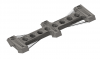
I too am having the same issues with Creo with many spurious edges in Shaded modes with edges. Wireframe is okay but one interesting finding is the issue does not show if the part is set to some level of transparent. MacPro M3 - Parallels 26.3.3 - MacOS 26.5 - Win11Pro 25H2, Creo 10.0.6.0
 

Attachments

  • Screenshot 2026-06-18 at 10.56.38 AM.png
    Screenshot 2026-06-18 at 10.56.38 AM.png
    180.6 KB · Views: 6
  • Screenshot 2026-06-18 at 10.57.03 AM.png
    Screenshot 2026-06-18 at 10.57.03 AM.png
    97.4 KB · Views: 5
  • Screenshot 2026-06-18 at 10.57.52 AM.png
    Screenshot 2026-06-18 at 10.57.52 AM.png
    209.5 KB · Views: 5
Back
Top