Namake
Bit poster
Hi everyone,
I'm experiencing a major issue where my Windows 11 VM reports its disk as nearly full (250GB+), even though the actual data inside Windows is minimal.
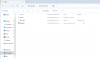
After performing a deep dive with TreeSize (running as Admin), I've identified that Parallels is creating a recursive reporting loop. Windows is "seeing" my Mac Host's home directory as part of the local C:\ drive storage.
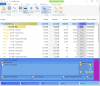
The Evidence:
I'm experiencing a major issue where my Windows 11 VM reports its disk as nearly full (250GB+), even though the actual data inside Windows is minimal.
After performing a deep dive with TreeSize (running as Admin), I've identified that Parallels is creating a recursive reporting loop. Windows is "seeing" my Mac Host's home directory as part of the local C:\ drive storage.
The Evidence:
- TreeSize Report: Shows a massive amount of data (200GB+) categorized under [Files] or within the C:\Mac directory.
- The Conflict: My actual .pvm bundle on the Mac matches this size, but when I look at the properties of folders inside Windows, the math doesn't add up.
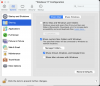
- Symlink Issue: Even after disabling "Mirror Mac and Windows user folders" in the Sharing settings, the VM still seems to be pointing to the Mac's physical storage and counting it toward the Windows disk quota.
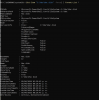
- Host: macOS 26.3.1 (a) (25D771280a)
- Guest: Windows 11 Pro (Arm)
- Parallels Version: Version 26.2.2 (57373)
- Disabled "Mirror Mac and Windows user folders."
- Mapped the Mac Home as a separate Network Drive (Z
 to isolate it.
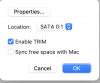
- Ran "Free up disk space" and "Reclaim" from the Parallels Control Center (it doesn't reduce the size because Windows thinks the space is "in use").