
Hi,
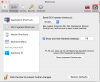
Even though I forced setting "Send OS X system shortcuts" to "Always" I still not able to use "ctrl+space".
I have to use it with fn: "fn+ctrl+space" which is annoying a lot.
Other shortcuts like "cmd/win+tab" works as expected.
If its possible to keep "OS X system shortcuts" while only allow "ctrl+space" that would be even better!
What to do?
Thanks.
Even though I forced setting "Send OS X system shortcuts" to "Always" I still not able to use "ctrl+space".
I have to use it with fn: "fn+ctrl+space" which is annoying a lot.
Other shortcuts like "cmd/win+tab" works as expected.
If its possible to keep "OS X system shortcuts" while only allow "ctrl+space" that would be even better!
What to do?
Thanks.
Attachments
Last edited:

