I have an interesting and really annoying problem.
I wrote to the support, but I haven't get any answer.
In Parallels Image Tool I try to make a new ISO image but I'm unable to choose from my drives, becuse the "Source CD/DVD-ROM" list has 2 empty items.
I get an error message. Image Tool cannot read data from ...
I have the same problem in Parallels Desktop's Configuration Editor
CD/DVD-ROM 1 / Emulation / Use CD/DVD-ROM
and the CD/DVD-ROM Drive list contains two empty lines.
I get an errer message: The CD/DVD-ROM name is not specified for CD/DVD-rom 1!
I've already reinstall my laptop and have the same problem.
BUT it works if a logged in with a different admin or normal user. The list contains two drives, the internal and the external USB drive also.
My config:
MacBook C2D, 2.0Ghz, 2GB RAM internale + LG external USB drive
Parallels build 3188
I logged in as an admin.
Please help me!
Tamas
I wrote to the support, but I haven't get any answer.
In Parallels Image Tool I try to make a new ISO image but I'm unable to choose from my drives, becuse the "Source CD/DVD-ROM" list has 2 empty items.
I get an error message. Image Tool cannot read data from ...
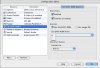
I have the same problem in Parallels Desktop's Configuration Editor
CD/DVD-ROM 1 / Emulation / Use CD/DVD-ROM
and the CD/DVD-ROM Drive list contains two empty lines.
I get an errer message: The CD/DVD-ROM name is not specified for CD/DVD-rom 1!
I've already reinstall my laptop and have the same problem.
BUT it works if a logged in with a different admin or normal user. The list contains two drives, the internal and the external USB drive also.
My config:
MacBook C2D, 2.0Ghz, 2GB RAM internale + LG external USB drive
Parallels build 3188
I logged in as an admin.
Please help me!
Tamas