Attachments
Last edited:
Follow along with the video below to see how to install our site as a web app on your home screen.
Note: This feature may not be available in some browsers.
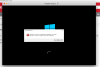
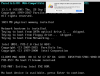
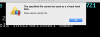
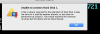
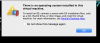
Hi @Fernando3. Please mention the edition of Windows 10 that you have and the Windows installation media you're using.managed to get the message to appear but I still don't know how to fix it.
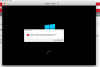
I'm using the normal Windows 10 and I downloaded an iso. image file.Hi @Fernando3. Please mention the edition of Windows 10 that you have and the Windows installation media you're using.
Alright. Please stop the installation and redo it again. This time, during the course of the installation, disable 'Express Installation'. After the installation completes, please install Parallels Tools.but it always tells me the same error.
I've already installed Parallels Tools a few days ago, disabling Express Installation did help with my problem. Thank you.Alright. Please stop the installation and redo it again. This time, during the course of the installation, disable 'Express Installation'. After the installation completes, please install Parallels Tools.
Really nice to know that. You are welcome.disabling Express Installation did help with my problem. Thank you.
This might have been done in a different virtual machine/OS installation. Since Parallels Tools can only be installed in a completed Windows installation, I suggested that you do the same after installing Windows (here, Parallels Tools are installed in this particular virtual machine).I've already installed Parallels Tools a few days ago,
Hi! I'm having the same problem. How did you disabled "express installation"?