Extra Window Icons showing in the dock

DavidC6

Member
I've been testing the various builds of Windows 10 for a while now and each release gets better and better. One thing that hasn't changed is, in all the builds, I get the following icons in my my dock: Windows Shell Host Experience and now Search.

I understand that the Windows builds are beta and bugs are being worked out, but does anyone know if there may be a solution to those issues? I don't even know if it's a Windows issue or something that Parallels will have to address with an update down the road.

Thanks
 
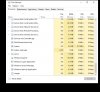
can you take a screenshot of the Dock and running processes in Windows Task Manager > Details tab? It looks like some hidden processes running in the background create a stub on the Mac side. If you click this icons in the Dock, does it open smth? If you go to VM config > Options > Applications > turn off 'share windows apps with mac' and turn it on back, will it change smth?
 
Yes, I'll do that at some point this weekend. Thanks. Gotta say, really impressed that your support staff watches and also responds to customer's issues. Says a lot!

David
 
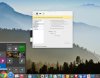
Ok, I took a number of sceenshots and posted below. If I click on the "stray" icons, nothing appears to open, but in the top left of the screen, in the menu bar, it shows the "name" of the app/icon.

Thanks
David

screenshot34.jpg screenshot33.jpg screenshot32.jpg screenshot31.jpg screenshot30.jpg screenshot29.jpg screenshot28.jpg screenshot27.jpg

Thanks
 
Hello David,
Thanks for additional information. I have reproduced that and forwarded this to Parallels Desktop Development. They are working on the improving compatibility with Windows 10 by the Windows 10 official release.
Thanks for reporting!
 
Hey guys, applied the update today that you all pushed out. No idea if it was supposed to address the above issue, but it's still happening. Thanks
 
Just a hunch, but I'm betting at this point, it'll be Version 11 that we see the fix. Just my 0.02. But yes it is very frustrating and basically it keeps me from running Win10 in Coherence Mode. I have to run it in Full Screen.
 
Yes they do, but it seems to me less annoying in FS, at least for me anyway. In Coherence the screen moves halfway, the start menu will open on a nother screen and come back, etc.
 
Back
Top