
I reinstalled PD18 on a clean Mac Studio M1 Max.
I was able to create a Windows 11 VM, with internet connectivity.
However PD18 is failed to fetch the list for other OS image, it shows "
free systems
to get the list oh avaliable systems, please connect your Mac to the internet."
I also tried to import ispw file, but according the the https://kb.parallels.com/125561
Alternative way of installation
Starting with Parallels Desktop 19, you can install a macOS VM just by double-clicking the downloaded .ipsw file:
1. Download the .ipsw file of the desired macOS version. Learn more here.
2. Double-click the downloaded .ipsw file and create a name of the virtual machine, and click Create.
So now i found no ways to build a MacOS VM, which i used to create so.
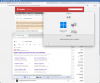
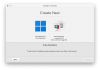
I was able to create a Windows 11 VM, with internet connectivity.
However PD18 is failed to fetch the list for other OS image, it shows "
free systems
to get the list oh avaliable systems, please connect your Mac to the internet."
I also tried to import ispw file, but according the the https://kb.parallels.com/125561
Alternative way of installation
Starting with Parallels Desktop 19, you can install a macOS VM just by double-clicking the downloaded .ipsw file:
1. Download the .ipsw file of the desired macOS version. Learn more here.
2. Double-click the downloaded .ipsw file and create a name of the virtual machine, and click Create.
So now i found no ways to build a MacOS VM, which i used to create so.
