rascaldawg
Bit poster
As a heavy VMware user in a Windows environment where I work, here's some things I'd like to see:
- When in full screen mode, the ability to have tabs across the top to switch between the different virtual machines you have open (it's called Full Screen/Quick Switch view in VMware). In addition, have the toolbar auto-hide when not in use. Also make it smaller, to take less screen real estate, but definately keep it on top.
- Alert messages when the guest OS is not running Parallels Tools, with the option of turning off the alerts when desired.
- Snapshot feature, a la VMware.
- The ability to switch between "connected networks" without shutting down the guest OS and changing VM settings. For example, go into the Devices -> Network menu and select en0, en1, or host-only networking direct from there, and have it take effect instantly without restarting the VM.
- The ability to turn off host-only networking DHCP, and define multiple host-only interfaces (so you can have multiple VMs on seperate host-only networks - useful when working with firewalls and other network utilities).
- For more "Mac" like continuity, setup Parallels Tools to install a universal printer driver that has the ability to print to the printers already installed in Mac OS X. That way the user won't have to setup a seperate printer, drivers, etc. for most printing functionality, a la MS Virtual PC.
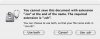
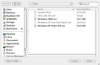
- It would be nice to be able to import CDs direct into ISO files within Parallels, without having to use the Mac OS X Disk Utility. If that can't happen, please just setup Parallels to allow use of CD images that have the *.CDR file name extension. OS X Disk Utility (what I use to create ISOs) will only create them with the CDR file name extension, so the file has to be renamed to *.ISO before Parallels will let me select it.
I'm sure I'll think of some more suggestions.
- When in full screen mode, the ability to have tabs across the top to switch between the different virtual machines you have open (it's called Full Screen/Quick Switch view in VMware). In addition, have the toolbar auto-hide when not in use. Also make it smaller, to take less screen real estate, but definately keep it on top.
- Alert messages when the guest OS is not running Parallels Tools, with the option of turning off the alerts when desired.
- Snapshot feature, a la VMware.
- The ability to switch between "connected networks" without shutting down the guest OS and changing VM settings. For example, go into the Devices -> Network menu and select en0, en1, or host-only networking direct from there, and have it take effect instantly without restarting the VM.
- The ability to turn off host-only networking DHCP, and define multiple host-only interfaces (so you can have multiple VMs on seperate host-only networks - useful when working with firewalls and other network utilities).
- For more "Mac" like continuity, setup Parallels Tools to install a universal printer driver that has the ability to print to the printers already installed in Mac OS X. That way the user won't have to setup a seperate printer, drivers, etc. for most printing functionality, a la MS Virtual PC.
- It would be nice to be able to import CDs direct into ISO files within Parallels, without having to use the Mac OS X Disk Utility. If that can't happen, please just setup Parallels to allow use of CD images that have the *.CDR file name extension. OS X Disk Utility (what I use to create ISOs) will only create them with the CDR file name extension, so the file has to be renamed to *.ISO before Parallels will let me select it.
I'm sure I'll think of some more suggestions.