Flip 3D

pjcraddock

Bit poster
Kudos on a great release! Parallels keeps getting better all the time!
Quick easy question I didn't see in the docs... What is the keystroke for Flip 3D in Windows 7?
 
The short answer is: Alt+1+Tab.

Flip3D is normally activated by Win+Tab on PC keyboard. By default Parallels maps Cmd to Win key, so Cmd+Tab would have worked, but it's also OS X task switching shortcut. So there's an additional mapping: Alt+1 to Win key which helps in this case.
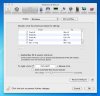
You can control keyboard mappings from Parallels Preferences / Keyboard & Mouse.
 
So when I'm in a Win VM, i could care less about the Mac task switching shortcut, and would like to map Cmd+Tab to act as Win+Tab, but can't figure out how to do so. Any pointers?
 
Remap Win+Tab?

I'd like to remap the funky Alt+1+Tab (very inconvenient when the focus is on a Win7 Parallels 5 VM) to Cmd+Tab, but seemingly am denied the ability to do so.

Unchecking the "Enable Mac OS X system shortcuts" neither enables Cmd+Tab, nor allows me to map that key combo.

Any thoughts or guidance on how to get rid of Alt+1+Tab and map Cmd+Tab to Win+Tab?
 

Attachments

  • Screen shot 2009-11-15 at 11.02.33.JPG
    Screen shot 2009-11-15 at 11.02.33.JPG
    109.1 KB · Views: 8
Last edited:
Back
Top