Billymac231
Member
Hi all.
I've recently moved my Parallels pvm from Bootcamp partition to my main Mac hard drive. For a fortnight I'd been wondering why my Mac was running so slow, and last night I 'discovered' what had been in plain sight all along: macOS was trying to upload 60-odd GBs of Parallels folder onto iCloud...
Okay, so I followed the KB article on shifting the Parallels folder out of Documents, and I moved it exactly where the article suggested, to a newly created folder in my user folder.
Windows 7 runs fine from there, but...
I have the data file for one particular Windows program that I run deliberately in my Mac Documents folder, because I do want that one file uploading to iCloud and backed-up by Time Machine etc.
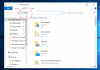
Before I moved the .pvm file the location of that data file showed up in the left-hand pane Windows Explorer as 'foldername on 'Mac' ( X: ), and the program that uses it was duly pointed to that location and worked fine. Since I moved the .pvm file the folder in question now shows as 'foldername on 'Mac' ( Z: ), and consequently the program cannot locate it. I have no idea why it changed from X to Z after the file move...
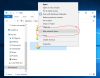
I cannot redirect the program to the new location of it's data file, because it will not run if it can't find it's associated data file, (Catch-22!), and so I think I need to change the Z back to an X. I have tried using disk management in Windows, but because it's a (virtual) network drive it doesn't show up in there to have it's drive letter changed.
Can anyone help me please?
Cheers,
Rob
I've recently moved my Parallels pvm from Bootcamp partition to my main Mac hard drive. For a fortnight I'd been wondering why my Mac was running so slow, and last night I 'discovered' what had been in plain sight all along: macOS was trying to upload 60-odd GBs of Parallels folder onto iCloud...
Okay, so I followed the KB article on shifting the Parallels folder out of Documents, and I moved it exactly where the article suggested, to a newly created folder in my user folder.
Windows 7 runs fine from there, but...
I have the data file for one particular Windows program that I run deliberately in my Mac Documents folder, because I do want that one file uploading to iCloud and backed-up by Time Machine etc.
Before I moved the .pvm file the location of that data file showed up in the left-hand pane Windows Explorer as 'foldername on 'Mac' ( X: ), and the program that uses it was duly pointed to that location and worked fine. Since I moved the .pvm file the folder in question now shows as 'foldername on 'Mac' ( Z: ), and consequently the program cannot locate it. I have no idea why it changed from X to Z after the file move...
I cannot redirect the program to the new location of it's data file, because it will not run if it can't find it's associated data file, (Catch-22!), and so I think I need to change the Z back to an X. I have tried using disk management in Windows, but because it's a (virtual) network drive it doesn't show up in there to have it's drive letter changed.
Can anyone help me please?
Cheers,
Rob
 I'm not going to touch anything else now!