
Hi, new user.
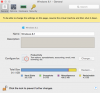
So what does Free Up Disk Space mean? I run Parrallels 10/Windows 8.1 for programming apps like VisualBasic, NotePadd++, etc.
Is that the same as Reclaim disk Space?

Also, when I am done at the end of the day, is it better to suspend/resume Windows, or actually shut down and restart Windows. I know shutting down/restarting takes a bit longer, but I don't know the difference. Does actual shutting down free up any allocated RAM I may want when back in OSX?

So what does Free Up Disk Space mean? I run Parrallels 10/Windows 8.1 for programming apps like VisualBasic, NotePadd++, etc.
Is that the same as Reclaim disk Space?
Also, when I am done at the end of the day, is it better to suspend/resume Windows, or actually shut down and restart Windows. I know shutting down/restarting takes a bit longer, but I don't know the difference. Does actual shutting down free up any allocated RAM I may want when back in OSX?
Last edited:

