Frustrated...... mouse won't work!

macymouse

Junior Member
I installed parallels and selected bootcamp where why XP has been for the past 9 months. I can start up the VM just fine..... goes to the Welcome Screen but then I get the dreaded...... Please activate windows message..... but when I click inside the VM window to use the mouse............. NOTHING HAPPENS....... so I cannot activate windows and I can't get any further than that.....

I've tried the usb mouse and i've tried JUST the track pad but to no avail...... someone on another forum said to install the Parallels Tools ........ BUT..... I can't because I have to be FULLY logged in to windows to do this...... needless to say..... I can't get past that damn Activation window.....

Does anyone know how I can fix this? I've uninstalled Parallels and reinstalled 3 times.... nothing works!

I can boot into windows XP with bootcamp NO PROBLEMS.....

I'm frustrated........ I would REALLY like to try this software before purchasing it fully.... I'm on my second day of non-mouse movements.


help????
 
Try looking in your properties windows to make sure that your mouse should be recognised as a PS/2 device. If it is USB then you have to, usually, allocate it either to the VM or the primary OS.
 
*head spinning*.......... I'm confused!!

I'm working in XP right now...... am i suppose to look under Device manager and look at that? I don't know what I"m looking for or what you mean by PS/2..... sorry......
 
No problem.
Before you start up your Virtual Machine, there is the properties window, you know, the one where you hit the green arrow button. In that you have to poke around and find where it allows you to set how your mouse and keyboard will be emulated. You don't want them to emulate as USB or else either Parallels OR OS X has to have full control. The desired setting is PS/2.
 
Nope.......... don't have those options........

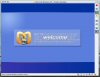
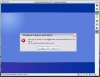
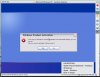
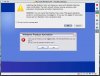
I did 5 screen shots of the process I go through...... note that one of them is from the menu you described....... Devices > USB > ??? But the capture I did only shows these options. I've tried them ALL!! One of them.... (can't remember) locks up my entire system - including OSX... no mouse at all and can only do a hard shutdown.

So... ok..... here they are....
 

Attachments

  • Screenshot_1.jpg
    Screenshot_1.jpg
    66 KB · Views: 13
  • Screenshot_2.jpg
    Screenshot_2.jpg
    69.4 KB · Views: 11
  • Screenshot_3.jpg
    Screenshot_3.jpg
    59.4 KB · Views: 10
  • Screenshot_4.jpg
    Screenshot_4.jpg
    68.9 KB · Views: 14
  • Screenshot_5.jpg
    Screenshot_5.jpg
    101.2 KB · Views: 15
macymouse said:
Nope.......... don't have those options........

I did 5 screen shots of the process I go through...... note that one of them is from the menu you described....... Devices > USB > ??? But the capture I did only shows these options. I've tried them ALL!! One of them.... (can't remember) locks up my entire system - including OSX... no mouse at all and can only do a hard shutdown.

So... ok..... here they are....

Hola!
I've been through this process a few times before. Before the Parallels tools are installed the mouse and keyboard are bound to either the Mac OS or to Windows. Usually, hitting the Ctrl+Alt/option keys toggles control back and forth as well as clicking the mouse inside the Windows window (if you have mouse control). The last JPG image you submitted displayed a Parallels tools window which suggests you had mouse control on the Mac side. Suggestion.....
JPGs 3, 4, and 5 display the activation popup in the middle of the Windows desktop. Notice that the focus is currently on the "yes" button. You should be able to hit the enter key while the focus is on yes to select that button. You'll know if the keyboard is active in Windows if you can hit the "tab" key and see the focus change from the "yes" button to the "no" back and forth. In a similar fashion you should be able to select "install Parallels Tools" while the mouse is active on the Mac side, then toggle keyboard control back to Windows (ctrl+alt/option) then use the "tab" key to navigate and the enter or spacebar key to select. Good luck!

Dave
 
Wow....... um..... ok, thanks for all that but....... keyboard won't function either! Shoulda stuck that in my post..... so sorry!!! Can't get anything to work on the VM windows side...... If I hit the caps lock key... the light won't go on like it normally does....

I'm gonna resort to wiping out my XP and just install XP through parallels and NOT bootcamp..... see if that will work...... otherwise.... I stick with rebooting instead of switching...... :(
 
What happens when you click on the "Apple internal keyboard/trackpad" from the USB menu?
Does that change anything where you can get any control of the keyboard/mouse within Windows?

dave
 
Nothing happens..... I've tried all the settings to get control..... one of them even locks up the mac side and i have to do a hard shut down....
 
Connect USB devices automatically

My mouse and keyboard were frozen up at first boot as well.

Check to make sure the "Connect USB devices automatically" box is checked in the USB Controller section of the Configuration Editor (Edit -> Virtual Machine). After checking this box my mouse and keyboard started working.
 
thanks ----- and yes....... tried that too......

I installed XP through Parallels instead of going through bootcamp... I'm running fine now. Must be some sort of conflict there between the two? Dunno.........
 
Keyboard and Mouse Will not work in parallels

Hey everyone:

I just posted the same issue a few hours ago, the same thing is happening to me also...
This is the thing:
When clicking inside the VM (in this case using Parallels to emulate Windows XP SP2 over OS X) you don't get a response from either mouse or keyboard, and in my case it's the onboard mouse and keyboard on my new macbook.
I tried all.. from "Actions --> Install Parallels tools" to clicking "Devices --> Apple Keyboard and Mouse", and actually when clicking in devices I loose my mouse and Keyboard in OS X as well.

I really don't know if this is a problem within Windows; meaning that the .cab file in the C:\Windows\Driver Cache needs to be changed to another one (which I did but no success) or reinstalling Parallels (which I also did with no success as well). :mad:

Help help help. that's what we need, and most likely from a guy who already went through this or knows a lot about parallels...

This is actually my posting:

"Hello everyone,

I got a new Macbook (2.0 GHz, 1.6 RAM) two weeks ago, installed Bootcamp and Windows XP Service Pack 2.
Basically everything is a fresh install.
Then I installed Parallels v3188 and in order for my VM to run I had to rename the file drivers.cab to SP2.cab in the C:\Windows\Driver Cache.
The problem is: My mouse and my keyboard does not work inside the VM, they work on OS X and if I click on the parallels window it looks like my mouse is inside but it does not move and so does the keyboard, tho when I press option + command I get back to OS X normally.

I tried clicking "Actions --> Install Parallels tools" and it did not help me.

I don't know what else is there to do... if anybody can help me would be great..."

Hope we get a solution to this issue.
Thanks a lot!
 
Last edited:
Solution

I think I just found the solution.

It took me a day to read, understand and think about this. (something that might have taken me an hour if I had read all the posts with this issue)
Here's the thing. You need parallels tools installed in order for your mouse, keyboard and other devices to run properly, and the only way this gets installed is by have the auto logon in windows activated. (gosh; why didn't I think about that... well maybe I didn't know that it was :))
To understand and change the autologon in windows (which gets installed when you run the updates and install the Net. Framework 3.0) go to this link:

http://windowsxp.mvps.org/Autologon.htm

It worked for me and hopefully works for everyone. In case it does not work you need to reinstall windows... and enable the autologon in windows even before you install and consigure Parallels.

I hope this is clear for users who are struggling with this issue.
 
Back
Top