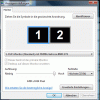
A Absturz Bit poster Nov 15, 2007 #1 switching to full screen mode returns an error when the window is on the secondary monitor. It works fine on the primary thought. my settings: I'm running Vista Business as host-OS does anyone know the solution on how to get it to work on the secondary monitor? regards
switching to full screen mode returns an error when the window is on the secondary monitor. It works fine on the primary thought. my settings: I'm running Vista Business as host-OS does anyone know the solution on how to get it to work on the secondary monitor? regards
A Alicia Parallels Team Nov 16, 2007 #2 Hello, what is screen resolution in your VM? Best regards, Alicia.
A Absturz Bit poster Nov 16, 2007 #3 1280x1024 any lower resolution messes up gnome so it seems :-/ thanks for the rather quick reply
A Alicia Parallels Team Nov 16, 2007 #4 Unfortunately, I have to make an apology - this issue is caused by our current design limitation - Workstation can provide only 8 Mb of video memory and in your case more than 8 is required. Best regards, Alicia.
Unfortunately, I have to make an apology - this issue is caused by our current design limitation - Workstation can provide only 8 Mb of video memory and in your case more than 8 is required. Best regards, Alicia.
A Absturz Bit poster Nov 16, 2007 #5 hm.. well that is kind of not cool are you devoted to having this issue resolved and at what point of time is a fix to be expected? regards
hm.. well that is kind of not cool are you devoted to having this issue resolved and at what point of time is a fix to be expected? regards
A Alicia Parallels Team Nov 19, 2007 #6 Hello, yes, we'll fix it in our future versions but, unfortunately, I can't tell reliable information on time constraints yet. Best regards, Alicia.
Hello, yes, we'll fix it in our future versions but, unfortunately, I can't tell reliable information on time constraints yet. Best regards, Alicia.