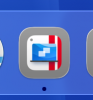
Fully support macOS 26 Tahoe icon styles (Dark icons appearance)

Jordan_QD

Bit poster
As the figure shows, it does not support the dark mode icon. By the way, the transparent style icon of PD 26 don't work well!
In fact, your updates summary indicate that you did do this. Kind of confusing.

 

Attachments

  • SCR-20250909-rzap.png
    SCR-20250909-rzap.png
    233.3 KB · Views: 6
  • SCR-20250909-sare.png
    SCR-20250909-sare.png
    24.9 KB · Views: 5
Hi Jordan,
You are right, the app icon doesn't fully use the new macOS Tahoe icon scheme.
When using Parallels Desktop 20 or earlier on macOS 26 Tahoe, the icon looked like this:
upload_2025-9-10_10-38-34.png
So in Parallels Desktop 26.0, we made it look like this:
upload_2025-9-10_10-42-34.png
Thus, the line in the release notes.
But that style doesn't work with the dark mode for icons, as you pointed out.

We are working on adding support for the new icon scheme, so you can also enjoy our product with the dark icons settings.
 

Attachments

  • upload_2025-9-10_10-41-23.png
    upload_2025-9-10_10-41-23.png
    30.7 KB · Views: 1
Can you also fix the VM dock icons? This is in Tahoe 26.0 with Parallels Desktop 26.0.1.
 

Attachments

  • Screenshot 2025-09-22 at 12.04.53 PM.png
    Screenshot 2025-09-22 at 12.04.53 PM.png
    8.3 KB · Views: 0
Hi guys, almost half a year is gone and we are still waiting for Dark mode support. So, how it looks with Dark icon in the Dark mode?

Thx Filip
 
Back
Top