Help - Can't open VM after upgrading to Mac OS Catalina & Parallels 15

Hi
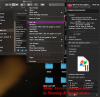
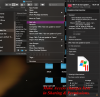
Permissios may have changed with your update. To give yourself access (read & write) go to Mac HD>user>your name>Documents>Parallels>Vm in question >Actions>Get Info
Screen Shot 2019-10-13 at 10.24.32 AM.png
or you might be able to right click on the vm I cannot right click so I use pathways to information. I hope this helps solve your issue.
 

Attachments

  • Screen Shot 2019-10-13 at 10.24.32 AM.png
    Screen Shot 2019-10-13 at 10.24.32 AM.png
    700.3 KB · Views: 5
Thank you so much. We checked and the file permissions are the same as yours.

The pvm file is on an external HD where it has been working previously. The only thing new is Catalina and Parallels 15.

Thoughts?
 
Did you check the permission on the external HD? Also the external drive mounts properly on Catalina?
 
Did you check the permission on the external HD? Also the external drive mounts properly on Catalina?
Hi Kat, yes we checked and the PVM has Read Write permissions and the external drive mounts just fine and we can see it in Finder, and navigate to the PVM to check the permissions.
 
Hi Kat, yes we checked and the PVM has Read Write permissions and the external drive mounts just fine and we can see it in Finder, and navigate to the PVM to check the permissions.
But did you check the permission on the external HD itself and did you follow the link that offers to solve the issue https://d.pr/i/eTQhBi. What was the result?
 
When updateing to a new system (Catalina) changes can be made by the os for security (usually making you say you really want to do something) The permission could have been changed any were along the file system (tree to where your actual file is stored hd>user>documents >Parallels) there is a older command line from thermal that you might try: chmod -R 755 /Users/parallels/Documents/Parallels/Windows10.pvm you would have to alter the command to follow your pathway
Also if the file is shared by two accounts the permission for one of the accounts could have been altered.
 
Solved: The issue was in System Preferences->Security->Privacy and it had gotten unchecked. I hope this answer helps someone else.
 
Back
Top