Help, every time you open the virtual machine or restart the virtual machine, the system will pop up

pdp

Bit poster
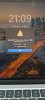
Help, every time you open the virtual machine or restart the virtual machine, the system will pop up, and the camera cannot be connected to win11
Note that it's not that the hardware can't be connected, in fact I didn't connect any hardware, it just pops up a prompt
 

Attachments

  • P_20231221_235756.jpg
    P_20231221_235756.jpg
    819.2 KB · Views: 6
Hello.

It's possible that you have other camera devices on your Mac, be they virtual or physical, which are causing this prompt. If you do not require camera use in the virtual machine, you can remove the prompt by disabling the camera sharing:
On the running virtual machine, go to the top bar -> "Devices" -> "Camera" -> Uncheck "Share Mac Camera with Windows".

If you do require it, you would likely need to check if there are virtual camera devices present, such as for instance OBS virtual camera, that might cause this prompt to appear. A similar situation and way to address it were discussed in this thread: https://forum.parallels.com/threads...parallels-desktop-17-on-macos-ventura.358823/

If the issue persists, please collect a technical report after the reproduction (click on the Parallels icon > Help > Send technical data > check "Attach screenshots..." > press Send Report) and send the report's 9-digit ID in a reply message, so we could take a look.
 
Back
Top