
Here is my situation: (Questions at the end of this post)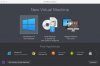
Equipment: (Macbook Pro 15 mid 2012, Macbook Pro 13 mid 2012, iMac 21 inch late 2014)
My Mac's had OSX 10.9.5 with Parallels 10 using my Bootcamp 5 partition. Everything worked great.
Problems begin when I did the following:
I upgraded to OS X 10.11.
Next I deleted my bootcamp 5 partition with Windows 7 Pro 64 bit.
Then I attempted to remove the virtual machine from Parallels 10. (The PVM file is gone).
I downloaded Bootcamp 6 from Apple and installed Windows 10 Pro 64 bit.
Next I purchased Parallels 11.
Unfortunately, Parallels 11 cannot find my Bootcamp 6 partition with Windows 10.
First attempt to resolve the issue:
I have checked both the Mac partition and the bootcamp partition for errors - there were none.
Second attempt to resolve the issue:
1. Checked SSD for errors as instructed by Parallels support in both Mac and Windows - no errors found.
2. Uninstalled Parallels with PD Remove, rebooted.
3. Reinstalled Parallels 11. (Note Parallels apparently was not fully uninstalled because it noted a previous installation.
4. The new installation of Parallels 11 cannot find my Bootcamp 6 partition.
Third attempt to resolve the issue:
Uninstalled Parallels 11 with App Cleaner
Rebooted my Macbook pro 15.
Used spotlight to check for a pvm file. Unable to find a pvm file.
Reinstalled Parallels 11.
Unfortunately, Parallels 11 cannot find my Bootcamp 6 partition with Windows 10 Pro 64 bit.
Does anyone know why I am receiving a note about a previous installation during the install of Parallels 11?
How do I remove Parallels 11 entirely?
Is there some other action I should be taking?
Equipment: (Macbook Pro 15 mid 2012, Macbook Pro 13 mid 2012, iMac 21 inch late 2014)
My Mac's had OSX 10.9.5 with Parallels 10 using my Bootcamp 5 partition. Everything worked great.
Problems begin when I did the following:
I upgraded to OS X 10.11.
Next I deleted my bootcamp 5 partition with Windows 7 Pro 64 bit.
Then I attempted to remove the virtual machine from Parallels 10. (The PVM file is gone).
I downloaded Bootcamp 6 from Apple and installed Windows 10 Pro 64 bit.
Next I purchased Parallels 11.
Unfortunately, Parallels 11 cannot find my Bootcamp 6 partition with Windows 10.
First attempt to resolve the issue:
I have checked both the Mac partition and the bootcamp partition for errors - there were none.
Second attempt to resolve the issue:
1. Checked SSD for errors as instructed by Parallels support in both Mac and Windows - no errors found.
2. Uninstalled Parallels with PD Remove, rebooted.
3. Reinstalled Parallels 11. (Note Parallels apparently was not fully uninstalled because it noted a previous installation.
4. The new installation of Parallels 11 cannot find my Bootcamp 6 partition.
Third attempt to resolve the issue:
Uninstalled Parallels 11 with App Cleaner
Rebooted my Macbook pro 15.
Used spotlight to check for a pvm file. Unable to find a pvm file.
Reinstalled Parallels 11.
Unfortunately, Parallels 11 cannot find my Bootcamp 6 partition with Windows 10 Pro 64 bit.
Does anyone know why I am receiving a note about a previous installation during the install of Parallels 11?
How do I remove Parallels 11 entirely?
Is there some other action I should be taking?
