Any thoughts appreciated..
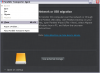
3 times not Transporter has failed after migrating about 20GB of HD file on two different NTFS volumes - unfortunately it fails by blanking my screen and flickering so I can't see if there is an error - though I can still ctrl-alt-delete and get an interface, so the PC is alive, but the flickering screen returns if I do anything.. Oddly the screen resolution has also changed at this point. So the only way to recover the PC is to re-boot. The first time through I left it over night (12 hours) to make sure that it had time to finish, but no success, still 20GB HD out of 135GB.
Everything is installed with latest versions from Parallels, W7 is on the latest patches, etc.
The source is a W7 notebook (8GB RAM, 350GB freeHD) to either a USB2 HD with 750GB free or another similar device (that holds my other VMs) with 350GB free. The migration requires 130GB according to Parallels.
I've made sure that I run the Transporter apps as Administrator, and I've deactivated firewalls and virus, but not every other service running - though I can do this is required.
I'm planning on migrating a number of W7 notebooks to VMs on Macs, so maybe the Mac version is better, but I can't invest in the Mac software until I know it works, and right now it doesn't, and I don't see any troubleshooting info anywhere to help me, or general advice on preparing a PC for migration.
Hopefully someone can tell me that this really should work, or that it just won't and I'll hop over to VMWare and try their version on trial...
Thanks,
Jason.
Parallels Migration Log:
<MigrationReport dyn_lists="">
<OperationInfo dyn_lists="">
<Type></Type>
<Start>2012-11-12 10:09:57</Start>
<End>2012-11-12 10:10:26</End>
<Result>145858562</Result>
<VmUuid></VmUuid>
<VmName></VmName>
<DiskName></DiskName>
<Details>save on error</Details>
</OperationInfo>
<MigrationSettings dyn_lists="">
<Method></Method>
<AutologonChoise></AutologonChoise>
<IntegrationChoise></IntegrationChoise>
<Mode></Mode>
</MigrationSettings>
<MigrationSource dyn_lists="">
<Os></Os>
<AutologonState>0</AutologonState>
<UsersCount>0</UsersCount>
<AdminsCount>0</AdminsCount>
<EmptyPassCount>0</EmptyPassCount>
<NeedInstallCd>0</NeedInstallCd>
<PowerCablePlugged>0</PowerCablePlugged>
<FirewallEnabled>0</FirewallEnabled>
</MigrationSource>
<SourceHardwareInfo dyn_lists="">
<HddCount>0</HddCount>
<DvdCount>0</DvdCount>
</SourceHardwareInfo>
</MigrationReport>
3 times not Transporter has failed after migrating about 20GB of HD file on two different NTFS volumes - unfortunately it fails by blanking my screen and flickering so I can't see if there is an error - though I can still ctrl-alt-delete and get an interface, so the PC is alive, but the flickering screen returns if I do anything.. Oddly the screen resolution has also changed at this point. So the only way to recover the PC is to re-boot. The first time through I left it over night (12 hours) to make sure that it had time to finish, but no success, still 20GB HD out of 135GB.
Everything is installed with latest versions from Parallels, W7 is on the latest patches, etc.
The source is a W7 notebook (8GB RAM, 350GB freeHD) to either a USB2 HD with 750GB free or another similar device (that holds my other VMs) with 350GB free. The migration requires 130GB according to Parallels.
I've made sure that I run the Transporter apps as Administrator, and I've deactivated firewalls and virus, but not every other service running - though I can do this is required.
I'm planning on migrating a number of W7 notebooks to VMs on Macs, so maybe the Mac version is better, but I can't invest in the Mac software until I know it works, and right now it doesn't, and I don't see any troubleshooting info anywhere to help me, or general advice on preparing a PC for migration.
Hopefully someone can tell me that this really should work, or that it just won't and I'll hop over to VMWare and try their version on trial...
Thanks,
Jason.
Parallels Migration Log:
<MigrationReport dyn_lists="">
<OperationInfo dyn_lists="">
<Type></Type>
<Start>2012-11-12 10:09:57</Start>
<End>2012-11-12 10:10:26</End>
<Result>145858562</Result>
<VmUuid></VmUuid>
<VmName></VmName>
<DiskName></DiskName>
<Details>save on error</Details>
</OperationInfo>
<MigrationSettings dyn_lists="">
<Method></Method>
<AutologonChoise></AutologonChoise>
<IntegrationChoise></IntegrationChoise>
<Mode></Mode>
</MigrationSettings>
<MigrationSource dyn_lists="">
<Os></Os>
<AutologonState>0</AutologonState>
<UsersCount>0</UsersCount>
<AdminsCount>0</AdminsCount>
<EmptyPassCount>0</EmptyPassCount>
<NeedInstallCd>0</NeedInstallCd>
<PowerCablePlugged>0</PowerCablePlugged>
<FirewallEnabled>0</FirewallEnabled>
</MigrationSource>
<SourceHardwareInfo dyn_lists="">
<HddCount>0</HddCount>
<DvdCount>0</DvdCount>
</SourceHardwareInfo>
</MigrationReport>