Hello guys! Well, here is the thing. I installed windows 7 using parallels 7, everything is working perfectly. But, the aero capabilities are not there, and I don't know how to make them work. I understand than since parallels 5 you can use aero, but sadly, I haven't been able to do so. Any way I can activate it?? Thanks guys!

Install the app
How to install the app on iOS
Follow along with the video below to see how to install our site as a web app on your home screen.
Note: This feature may not be available in some browsers.
You are using an out of date browser. It may not display this or other websites correctly.
You should upgrade or use an alternative browser.
You should upgrade or use an alternative browser.
Help with aero, windows 7, parallels 7
- Thread starter j_sevamo
- Start date

kat
Product Expert
Hi
Make sure that you have 3D acceleration selected in virtual machine configuration. (my configuration screen-capture-6.jpg)
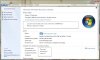
You also need to make sure that you have a Windows Experience Index
go to Control Panel
select Performance Information Tools
If you don't have a Base Score
select Rate this Computer (this will take a few minuets)
Make sure that you have 3D acceleration selected in virtual machine configuration. (my configuration screen-capture-6.jpg)
You also need to make sure that you have a Windows Experience Index
go to Control Panel
select Performance Information Tools
If you don't have a Base Score
select Rate this Computer (this will take a few minuets)
Attachments
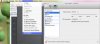
Thanks for the reply! But I'm still having the same problem. When I go to configure, I cannot choose direct x 10, just a check box for "Enable 3D acceleration" and "Enable visual synchronization". They are both checked.
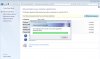
The other problem appears when I try to rate the computer, after a few minutes, it fails and says "The windows experience index for your system could no be computed. Could not measure video playback performance." I don't understand what's going on.
By the way, if it helps, I've got a 2.3 GHz Intel Core i7, 8 GB of ram 1600 MHz DDR3, and two GPUs: Intel HD graphics 4000 and NVIDIA GeForce GT 650M.
If someone could help me address this problem, it would be great!
Thanks again for the replies!
The other problem appears when I try to rate the computer, after a few minutes, it fails and says "The windows experience index for your system could no be computed. Could not measure video playback performance." I don't understand what's going on.
By the way, if it helps, I've got a 2.3 GHz Intel Core i7, 8 GB of ram 1600 MHz DDR3, and two GPUs: Intel HD graphics 4000 and NVIDIA GeForce GT 650M.
If someone could help me address this problem, it would be great!
Thanks again for the replies!
kat
Product Expert
Please check to make sure that Disable Windows Aero is not checked you should find this under Coherence. (under Virtual Machine then Configure)
Also please check to see if you have the latest version of Parallels 7.
How much Video memory do you have? You can use up to 1 GB of video memory. If you are
making the change while the vm is on please re-start the vm and then mack the changes in
Performance Information Tools from the Control Panel.
Also please check to see if you have the latest version of Parallels 7.
How much Video memory do you have? You can use up to 1 GB of video memory. If you are
making the change while the vm is on please re-start the vm and then mack the changes in
Performance Information Tools from the Control Panel.
Last edited:
kat
Product Expert
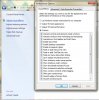
You can change your Visual Effects from "Let Windows choose what's best for my computer" to Custom (here you can select the effects you want.)
go to control panel
select Performance Information Tools (this is where you rated your computer before)
left hand side menu select: Adjust visual effects
A pop-up window will appear select
Visual Effects from the tab menu at top
select Custom make sure most everything is checked
click apply
restart your vm
go to control panel
select Performance Information Tools (this is where you rated your computer before)
left hand side menu select: Adjust visual effects
A pop-up window will appear select
Visual Effects from the tab menu at top
select Custom make sure most everything is checked
click apply
restart your vm
Attachments

TieuNgocLan
Bit poster
I have the same problem, thanks for "Kat" giving me a good reply. All is right
You can change your Visual Effects from "Let Windows choose what's best for my computer" to Custom (here you can select the effects you want.)
go to control panel
select Performance Information Tools (this is where you rated your computer before)
left hand side menu select: Adjust visual effects
A pop-up window will appear select
Visual Effects from the tab menu at top
select Custom make sure most everything is checked
click apply
restart your vm
thank !I had fixed your way
go to control panel
select Performance Information Tools (this is where you rated your computer before)
left hand side menu select: Adjust visual effects
A pop-up window will appear select
Visual Effects from the tab menu at top
select Custom make sure most everything is checked
click apply
restart your vm
thank !I had fixed your way