
Install the app
How to install the app on iOS
Follow along with the video below to see how to install our site as a web app on your home screen.
Note: This feature may not be available in some browsers.
You are using an out of date browser. It may not display this or other websites correctly.
You should upgrade or use an alternative browser.
You should upgrade or use an alternative browser.
Hosting OSX 10.9
- Thread starter Lee4
- Start date

Hello Lee4, please open your virtual machine's Configuration > Hardware Tab > Boot Order
Add the following boot flag into the Boot flags field:
vm.efi.mac_recovery=1
Start virtual machine and let us know how it works.
Add the following boot flag into the Boot flags field:
vm.efi.mac_recovery=1
Start virtual machine and let us know how it works.

P
Pradeep@Parallels
Hello Lee4,Hi, I've tried that but I can't add the setting until shuttin the VM down and the shutdown command is having no effect (from the Actions menu).
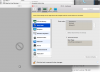
It's just stuck on the screen:
View attachment 11145
If you are not able to Shutdown the VM then try to "Stop" it by selecting Actions(on Apple Menu Bar) -> Stop.
Hello Lee4, Please submit a Problem Report ID http://kb.parallels.com/9058 and provide us the ID number here, to investigate further on this issue.