
Install the app
How to install the app on iOS
Follow along with the video below to see how to install our site as a web app on your home screen.
Note: This feature may not be available in some browsers.
You are using an out of date browser. It may not display this or other websites correctly.
You should upgrade or use an alternative browser.
You should upgrade or use an alternative browser.
How do I disable ads
- Thread starter OtheloV
- Start date

KebhaK@Parallels
Hunter
Hi @OtheloV , Please provide us a screen shot or short video of the ads which are appearing on Parallels Toolbox and also the version of Parallels Toolbox which you have on Mac.Hi,
I think this might have been addressed, but I can't find it, how do I disable ads on a paid version of Parallels Toolbox for Mac (Screen & Video)?
Thank You
V
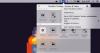
We understand that you are getting " a free Parallels Toolbox subscription" alert in Parallels Toolbox menu. We'll make sure to share your feedback with our marketing team.Hi,
Please see attached "Get a Free Parallels subscription"
Parallels Toolbox Version 3.1.1 (2313).

Hemnath@Parallels
Parallels Support
If it's really only the pop-up adverts that bother you and you'd rather not have to install a second browser then these can be blocked in Google's own Chrome browser. Launch the browser, tap on the three dots at the top right of the screen, then choose Settings, Site Settings.
hey there, i hope my answer helped you. good dayIf it's really only the pop-up adverts that bother you and you'd rather not have to install a second browser then these can be blocked in Google's own Chrome browser. Launch the browser, tap on the three dots at the top right of the screen, then choose Settings, Site Settings download vidmate.