Hi,
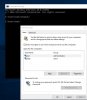
When I run Parallels from my Mac Windows 10 is automatically launched and logs me on automatically as the administrator account. However, I have subsequently set up another user on Windows 10 and this is the one that I would usually like to log on with. Currently, I have to allow the ADMIN auto login and then sign this user out and then log on with the other user account.
Please, can someone advise how I can shortcut this e.g. prevent the auto login from Parallels or force the Welcome Screen to be shown so that I can select which user I would like to log into Windows with?
Thanks, Craig
When I run Parallels from my Mac Windows 10 is automatically launched and logs me on automatically as the administrator account. However, I have subsequently set up another user on Windows 10 and this is the one that I would usually like to log on with. Currently, I have to allow the ADMIN auto login and then sign this user out and then log on with the other user account.
Please, can someone advise how I can shortcut this e.g. prevent the auto login from Parallels or force the Welcome Screen to be shown so that I can select which user I would like to log into Windows with?
Thanks, Craig