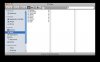
hello... this is probably a really simple question, but the virtual machine (win xp sp3) has appeared in my mac finder window - see attached, the machine named MacBookPro-001B63...
How do I hide or remove that machine, which only appeared today?
Thanks John. It's certainly still there after a restart. It's also appeared on my computer at work :-/. When I switch off "Back to my Mac" it disappears, as does my Mac machine ; they both reappear when I turn it back on again.
Are there any other reasons why it might have appeared just after I fiddled with some settings? Any way to hide it or get rid of it?

 thanks - i did. actually, all i ended up not fiddling at all, because everything was changed back to how it was.