hi there,
i have tried to locate an answer to this question to no avail.
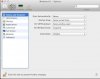
when i turn on my mac, i do not want parallels desktop 8, or windows, to start up automatically.....i only use parallels when i use quicken.
i have tried to stop it using mac utilities and start up options, and i do not have any programs resuming when i shut down my mac, but it still loads when i turn on my mac
any help would be appreciated......this makes me feel like a doofus
k
i have tried to locate an answer to this question to no avail.
when i turn on my mac, i do not want parallels desktop 8, or windows, to start up automatically.....i only use parallels when i use quicken.
i have tried to stop it using mac utilities and start up options, and i do not have any programs resuming when i shut down my mac, but it still loads when i turn on my mac
any help would be appreciated......this makes me feel like a doofus
k