Deac_Lancaster
Member
How can I add a newly installed Mac app to the Windows "Open with" list with Sharing enabled?
Detail:
I have enabled sharing Mac apps with Windows via
Configure > Options > Applications, and
check "Share Mac applications with Windows"
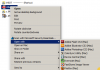
so that in Windows File Manager a right click on a file shows "Open with" and lists the Mac apps as well as Windows programs.
BUT, I have installed a new Mac app and it does not show up in the list. How can I add it?
I have rebooted both Windows and Mac to allow refreshing, but to no avail.
thank you,
-deac
Detail:
I have enabled sharing Mac apps with Windows via
Configure > Options > Applications, and
check "Share Mac applications with Windows"
so that in Windows File Manager a right click on a file shows "Open with" and lists the Mac apps as well as Windows programs.
BUT, I have installed a new Mac app and it does not show up in the list. How can I add it?
I have rebooted both Windows and Mac to allow refreshing, but to no avail.
thank you,
-deac