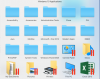
How to Configure the Parallels/Windows Application folder on the Dock

MikeDPas

Bit poster
For a Win 10 environment, how does one customize the "Windows 10 Applications" folder on the dock. I can see how to add items in: C:\ProgramData\Microsoft\Windows\Start Menu\Programs and this flows to the dock folder. What I would like to do is remove the shortcuts of Printer, Pictures, Music, etc.

Any ideas?
 
Hi, you would like to remove shortcuts from Windows VM or from Mac dock?
Did you get any error when your click remove/delete?
Please clarify the issue. Thanks in advance
 
Hi, thanks! I would like to remove them from the Mac Dock. In the past, to do that, you have to find the shortcut in, usually, a Start Up or Programs folder, and then delete it. If you delete it directly from the \Parallels\Applications Menus\Windows 10 Applications folder, Parallels rebuilds that folder, so your change is temporary. I've attached a screenshot of the Mac Doc folder. Note the Printers, Pictures, Control Panel, Music, This PC links. I want to get rid of them. I could figure out how to do it in Win 7, but not Win 10. Thx!
 

Attachments

  • Untitled.png
    Untitled.png
    167.9 KB · Views: 7
Did you ever solve this Mike? I'm wanting to do the same, just cut it down to the bare minimum as it adds loads of built in apps from Windows that I never use, sticky notes, tips etc.
 
Nothing has changed other than me figuring out where in Win11 the shortcuts are stored. Adjust those shortcuts and the Mac Dock folder gets updated. There are a few, such as Pictures, Music, Control Panel that I can't seem to get rid of. I'm sure there are things in the Registry that one could change, but since I've gotten the entries in the Mac Doc folder down to a manageable level, I haven't bothered to research more. Realizing that there may be differences in Windows configs, this is where I found the shortcuts that one can adjust: C:\ProgramData\Microsoft\Windows\Start Menu\Programs
 
Did you ever solve this Mike? I'm wanting to do the same, just cut it down to the bare minimum as it adds loads of built in apps from Windows that I never use, sticky notes, tips etc.
Hello, do you have this issue with the latest Parallels Desktop version?
 
Hi, yes. My sense is that Parallels just copies the Windows based pointers to this dock folder. So, like v16, you'll need to adjust that Start Menu folder. I've not found a way to suppress some of the items though (Pictures, Music, etc).
 
Back
Top