
I am running macOS Sonoma on x86 hardware and Parallels 16 (I don't need Parallels often, so I don't update unless I have to). I have a Flash USB disk with a bootable macOS High Sierra (confirmed: I can boot from it on a Mac mini 2010). I would like to create a VM from this to run under Parallels. But Parallels fails to create the VM. It starts the process, says it will need 9GB, I give it 4GB RAM, I see a black screen with the white Apple logo: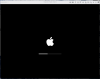
then at some point it fails and I see:
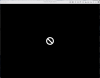
No more info.
How can I create a running macOS High Sierra VM?
then at some point it fails and I see:
No more info.
How can I create a running macOS High Sierra VM?