I just installed Parallels for Mac with Windows 10 and ca't figure out how to mount USB devices. For example, I have a USB card reader for photo cards that need to be read by a PC program, but I can't get that card mounted while in Parallels/Windows 10. Similarly, I got a DVD with a PC program to view some X-rays, but can't get the drive to appear and mount with Windows. How do I get USB devices to mount?

Install the app
How to install the app on iOS
Follow along with the video below to see how to install our site as a web app on your home screen.
Note: This feature may not be available in some browsers.
You are using an out of date browser. It may not display this or other websites correctly.
You should upgrade or use an alternative browser.
You should upgrade or use an alternative browser.
How to mount USB drives/devices
- Thread starter WillamL
- Start date

Maria@Parallels
Problem solver
Raj@Parallels
Guest
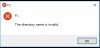
Are you able to mount Flash drive on your Mac side?Thanks for the info. I tried that and inserted a flash card into the USB card reader and got a warning that said "F:/ The directory name is invalid" I don't know Windows at all so have no clue what to do about this. Any ideas?
View attachment 12135
Windows can read/write the partition exFAT/Fat32/NTFS only.
To know more about partition, click here.
Unfortunately, the CompactFlash card that I am trying to use is from a camera so the camera formats the card. What is particularly bothersome is that running an older version of Parallels (10 maybe) with XP long ago it worked, but running Parallels 12 with Windows 10 it doesn't work. Before, I could insert the card and have it recognized by the Reconyx game camera software I need to program the card to customize the functions of the game camera. Now, the program always gives me the F:/ Directory name is invalid message. The card does mount on the Mac side, but the Reconyx software is Windows only. Any workaround? I pretty much bought Parallels to be able to run this particular software; everything else I do is on Mac OS.
Raj@Parallels
Guest
Please disconnect and connect USB device then, follow the steps outlined.Unfortunately, the CompactFlash card that I am trying to use is from a camera so the camera formats the card. What is particularly bothersome is that running an older version of Parallels (10 maybe) with XP long ago it worked, but running Parallels 12 with Windows 10 it doesn't work. Before, I could insert the card and have it recognized by the Reconyx game camera software I need to program the card to customize the functions of the game camera. Now, the program always gives me the F:/ Directory name is invalid message. The card does mount on the Mac side, but the Reconyx software is Windows only. Any workaround? I pretty much bought Parallels to be able to run this particular software; everything else I do is on Mac OS.