Hello,
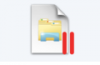
This is getting frustrating. I'm on a deadline and need to uninstall Parallels 9 from my mac. AND the windows apps need to stop being linked to Parallels (no red pause symbol). I need to try a different VM solution for a specific app (please no questions why) and so why can't i unhinge the apps (from Parallels) now that I have uninstalled Parallels 9??
It says I can change this "connection" to apps under "configure" in Parallels 9 but not when you haven't bought the product! I can't access this option (trial period is over) and I need to get my apps back!!! This is costing me time and money, please help asap. I also can't call support or chat without buying the product and so you are basically holding my apps hostage.
Sincerely,
Emil J
This is getting frustrating. I'm on a deadline and need to uninstall Parallels 9 from my mac. AND the windows apps need to stop being linked to Parallels (no red pause symbol). I need to try a different VM solution for a specific app (please no questions why) and so why can't i unhinge the apps (from Parallels) now that I have uninstalled Parallels 9??
It says I can change this "connection" to apps under "configure" in Parallels 9 but not when you haven't bought the product! I can't access this option (trial period is over) and I need to get my apps back!!! This is costing me time and money, please help asap. I also can't call support or chat without buying the product and so you are basically holding my apps hostage.
Sincerely,
Emil J