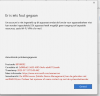
you need to be an Office 365 or Azure admin to do this
Enter Azure Active Directory (AAD) in the search bar and the top and click on it AAD
Click on MOBILITY (MDM and MAM)
In the left menu bar, just scroll down a bit if you don't see it
Click on MICROSOFT INTUNE and ensure the USER SCOPEs are configured to ALL
If you see a MICROSOFT INTUNE ENROLLMENT entry, click on it and the select DELETE
This change is almost instantaneous, but it is possible it will take a few minutes to replicate through Microsoft's large network.
Try to add your account again on the machine that was failing previously.