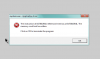
I just *love* Windows error messages!
"Something didn't work."
Yah, so helpful. On Unix-y systems, I may be completely baffled by the details of an error message, but at least it's a **starting point** to begin fixing things. Hiding detail ##IS NOT USEFUL##. Another favorite:
"Something else didn't work. Contact your system administrator."
Except I _AM_ the flipping system administrator! Blargh!
...
Anyway, back to our regularly scheduled programming -- the default for network connections in Windows XP is to only show any icons in the Systray (that bit on the bottom right) when there is a problem. I *always* change that to *always* show network icons when connected. In Win XP, do that by clicking Start -> Settings -> Network Connections, then right-click each network connection listed, choose Properties, and click "Show icon in notification area when connected". The other option, "Notify me when this connection has limited or no connectivity", should be toggled on by default.
Is there any possibility that you have more than one network adapter configured for the Windows VM, where one is working correctly (and not showing up in the systray), and the other isn't working right (and thus shows the yellow-triangle icon)?
Cheers,