
Hi,
Re: QuickBooks Icon Bar at the top Of the "window" is too small to see in PD 10.
I have tried this on both the iMac 5K i7 with the AMD Radeon R9 M295X and the lower specked iMac 5K i5 with the AMD Radeon R9 M290X. Both have Yosemite 10.10.3 and they both have the same virtual machine; Windows 8.1. I copied the same VM from one computer to the other, so it's identical.
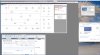
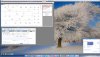
On the iMac 5K i5 with the AMD Radeon R9 M290X, the Icon Bar at the top looks normal, everything else is normal and viewable. On the iMac 5K i7 with the AMD Radeon R9 M295X the Icon Bar is so tiny you would need a magnifying glass to see it. I have taken a couple of screenshots with different screen resolutions and you can see that on the QuickBooks "Home" window, the writing under the words "DO MORE WITH QUICKBOO... is tiny also. Again, this is all normal on the iMac 5K i5. I have also tried it in Coherence mode and it is exactly the same, normal on the i5, tiny on the i7.
I have a Dell U2713HM monitor, which is attached to the iMac i7 via a display port cable, and when I put Windows VM on that screen it's the same, tiny.
As can be seen in the screenshot, the "Enter Sales Receipts" window looks normal, as are most sections of the "Home" window.
It does not matter what screen resolution I chose in the VM or in system preferences on the iMac, it still remains tiny. I've tried uninstalling and re-installing Parallels, I put a fresh VM on, I've even done a fresh install of OS X and started again, to no avail.
Any help would be most appreciated.
Thank you,
James.
Re: QuickBooks Icon Bar at the top Of the "window" is too small to see in PD 10.
I have tried this on both the iMac 5K i7 with the AMD Radeon R9 M295X and the lower specked iMac 5K i5 with the AMD Radeon R9 M290X. Both have Yosemite 10.10.3 and they both have the same virtual machine; Windows 8.1. I copied the same VM from one computer to the other, so it's identical.
On the iMac 5K i5 with the AMD Radeon R9 M290X, the Icon Bar at the top looks normal, everything else is normal and viewable. On the iMac 5K i7 with the AMD Radeon R9 M295X the Icon Bar is so tiny you would need a magnifying glass to see it. I have taken a couple of screenshots with different screen resolutions and you can see that on the QuickBooks "Home" window, the writing under the words "DO MORE WITH QUICKBOO... is tiny also. Again, this is all normal on the iMac 5K i5. I have also tried it in Coherence mode and it is exactly the same, normal on the i5, tiny on the i7.
I have a Dell U2713HM monitor, which is attached to the iMac i7 via a display port cable, and when I put Windows VM on that screen it's the same, tiny.
As can be seen in the screenshot, the "Enter Sales Receipts" window looks normal, as are most sections of the "Home" window.
It does not matter what screen resolution I chose in the VM or in system preferences on the iMac, it still remains tiny. I've tried uninstalling and re-installing Parallels, I put a fresh VM on, I've even done a fresh install of OS X and started again, to no avail.
Any help would be most appreciated.
Thank you,
James.
Attachments
Last edited: