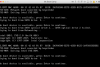
I have a 2010 iMac with 3 hdd's one is for os x, second one has windows 10 installed, third is just for storage.
I can run windows just fine on its own by booting it from the start by holding option key during boot up and i choose that hdd
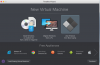
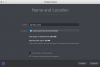
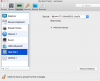
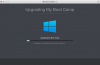
but whenever i try and run parallel to try and dual boot at the same time I have never able to get it to work! I do the manual configuration and i choose the hdd that has windows and run it. It then goes to the black screen where its trying to run windows but it never find the hdd so i am never able to complete the initial configuration! Does anybody know how to fix this?
I can run windows just fine on its own by booting it from the start by holding option key during boot up and i choose that hdd
but whenever i try and run parallel to try and dual boot at the same time I have never able to get it to work! I do the manual configuration and i choose the hdd that has windows and run it. It then goes to the black screen where its trying to run windows but it never find the hdd so i am never able to complete the initial configuration! Does anybody know how to fix this?