
Install the app
How to install the app on iOS
Follow along with the video below to see how to install our site as a web app on your home screen.
Note: This feature may not be available in some browsers.
You are using an out of date browser. It may not display this or other websites correctly.
You should upgrade or use an alternative browser.
You should upgrade or use an alternative browser.
[in progress] OpenGL 4 Support (list of app titles and their status inside)
Hi - I am a user of PTC Creo 6.0, which worked without a problem on Parallels 15. My Macs are a 2019 16" (maxed out) and a late 2019 Mac Pro (Vega II duo, 16 core, 96G ram). Both machines display the same issues in Creo: when preselecting geometry the geometry remains highlighted even after the cursor moves off of the geometry. This behavior doesn't happen when natively booting into Windows. My guess is that this is due to the new implementation of OpenGL 3.3, but I'm open to suggestions. Also hoping there's a fix for this relatively quickly.
Hi everyone! We just released a new Parallels Desktop version 16 with full support of OpenGL 3.3 Compatibility Profile - see what's new.
We tried to check as many applications as possible, but some pieces of software are not that simple to obtain. The following applications verified as now working in Parallels Desktop 16:
But, there might be more OpenGL applications that now work in Parallels Desktop 16 (don't forget to update Parallels Tools). If you have any issue with an OpenGL application, and the app is not listed in the first post, please leave a message in this thread.
- DIALux evo 9
- PalleteCAD v10
- ProPresenter 6
- SAMSON Connect
- Rhinoceros 6 (improved support)
Hi Dimitry, from version CYPE 2021.b (coming soon in about two weeks) and onwards several CYPE products should work now with Parallels but we have still several rendering artifacts that doesn't occur on native Windows neither NVIDIA nor AMD or Intel cards. CYPE products adhere to OpenGL Core Profile 3.3 strictly. We've found workarounds for problems with context initialization and ARB_COPY_BUFFER extension.
Please, contact with me if interested in improving support of CYPE products in Parallels.
Hello Parallels developers.
Recently i installed programs from CYPE and they need Open GL 3.3 as minimun. Please, could you fix it? is very important for me.
The programs are:
Open BIM COVID 19 v 2021.a
Open BIM Layout v 2021.a
Open BIM Vertical connections v 2021.a
Im running parallels desktop 15 on a macbook pro 2016 with windows 8.1.
Thanks.
Please, upgrade to 2021.b when available (two weeks or so).
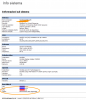
Hi, as other people in this same forum I need to use at 110% openGL for specific software. Acca Edificius it's a Italian BIM very popular here and need good hardware to works well. In Parallels, the "info" system of that software report the "power" of every single component. The GPU power shown it's 0.0 and amount of VRAM unknown also if I setup 2GB of VRAM in the Machine settings. Performance are not bad but not so well. Trying to use bootcamp the render performance are 10 times better. Any solutions?
Thanks
Thanks
Attachments
AlexanderS31
Bit poster
Please add support openGL The Foundry Katana!
Hello,Hello,
I need Open GL for Winner Design v12
Many thanks
ArnaudB3,
I also use Winner Design 12 with II 16. With the new version of Winner Design 12, I can not make good perspective. Did you also have the same problem.
Regards,
Mike
MatthewH12
Bit poster
Freeform viewer, getting error about opengl ogls shading. Using openGL 2.1 and 3.0 or later is needed. Parallels 15.1.4 and Catalina osx. 10.15.7. Is there a way to turn on 3D, advanced for Windows 10 ver 1809 pvm I am using.
Hi,
I need Open GL Support for the Programm: Iboview (http://www.iboview.org) it needs OpenGL 3.0 ES, or better OpenGL 4.0. Otherwise IboView will not run.
Is there a way to fix this?
Best Regards
I need Open GL Support for the Programm: Iboview (http://www.iboview.org) it needs OpenGL 3.0 ES, or better OpenGL 4.0. Otherwise IboView will not run.
Is there a way to fix this?
Best Regards
WolfgangL6
Bit poster
I need OpenGL 3.3 for the unrestricted use of
The developer of this application answered with the the following statement:
The developer of this application answered with the the following statement:
"Paralles cannot handle OpenGL 3.3 correctly. So far, I am also not aware that Parallels works with VdG14 without any problems. If you have graphics problems, you should write to Parallels support, they may be able to fix the problem in your software."
WolfgangL6
Bit poster
Under https://download.parallels.com/desktop/v14/docs/de_DE/Parallels Desktop User's Guide/43132.htm
it is shown to activate or select "3D-acceleration" under "advanced settings".
In my (parallels 16) application, a "advanced settings" select box does not appear
it is shown to activate or select "3D-acceleration" under "advanced settings".
In my (parallels 16) application, a "advanced settings" select box does not appear
I have the same problem as Wolfgang, and I have updated Mac OS, updated Windows 10 OS, and updated Parallels. My primary purpose in considering Parallels was for the ability to use modeling and CAD softwares, so if this is a problem I probably won't purchase Parallels after the trial. Will keep trying to resolve, however it looks like your developers are either working in a test environment, or not being honest with users on this string.
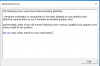
Many people are purchasing a game called Doorkickers 2 that requires minimum OpenGL 3.1, but cannot play it thanks to support not working for it. The game's forums are frequently posted with questions of how to get the game working with Parallels but the devs have no answers.
Could you guys add this support?
Could you guys add this support?