
Thought I'd try installing Yosemite as a guest OS into a VM (Parallels Desktop 9.0 Build 24237). A little surprised it didn't even find the app, but figured 9.0 might not know what it was looking for.
Instead, figured I'd install Mavericks, then try and upgrade with the 10.9 VM's App Store to Yosemite. Might work, might not.
However, the function where Parallels "detects" the OS X 10.9 Mavericks installation is also broken. Left for 10 minutes and Parallels found nothing. App was downloaded fresh from the App Store, sitting right there in plain sight in the Applications folder. Rebooted in case the system hadn't registered the presence of the app yet. No change.
So, failing auto detection, the KB article describes manual selection and explicitly has this screenshot:
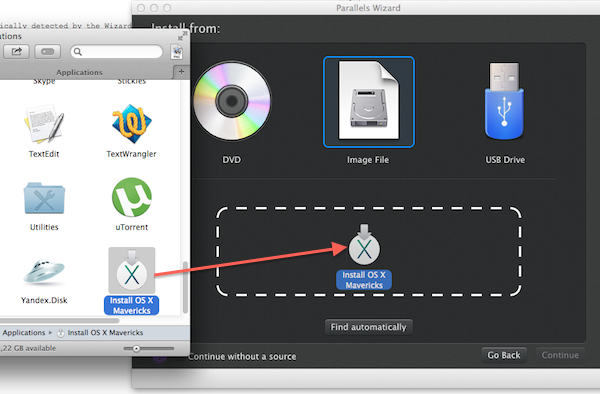
That simply does not occur, as shown here:
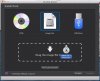
Note the crossed-out-circle pointer as Parallels refuses to use it.
Instead, figured I'd install Mavericks, then try and upgrade with the 10.9 VM's App Store to Yosemite. Might work, might not.
However, the function where Parallels "detects" the OS X 10.9 Mavericks installation is also broken. Left for 10 minutes and Parallels found nothing. App was downloaded fresh from the App Store, sitting right there in plain sight in the Applications folder. Rebooted in case the system hadn't registered the presence of the app yet. No change.
So, failing auto detection, the KB article describes manual selection and explicitly has this screenshot:
That simply does not occur, as shown here:
Note the crossed-out-circle pointer as Parallels refuses to use it.
