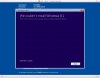
Installation Problems - No Operating System Recognised??

Tim417

Bit poster
So I've just bought Parallels and Windows 8.1 to install on my MacBookPro (Mavericks)

I've followed the wizard and tutorials but keep getting an error message that "No operating system is installed on this virtual machine" it says I need to insert the operating system CD (which I don't have) into the optical drive (which the MBPs don't have) and restart the virtual machine.

I've formatted a USB to be a bootable one and is recognised by the wizard during the early stages so I'm completely stumped.

Any help guys???
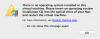
Image_2.png
 
Hello Tim417,

The installation file of Windows 8.1 Operating System which you have must be an .exe file.

In Parallels Desktop only an .iso file or .dmg file can be installed as an OS.

So please follow the steps as provided below :

- Download Windows 7 OS and install as suggested at http://kb.parallels.com/116237

- After the Windows 7 OS is installed in Parallels Desktop, please run the Windows 8.1 installation file in Windows 7 OS(Virtual Machine) in order to install Windows 8.1 OS.

- Windows 8.1 OS will be installed successfully.

To change the name of the Virtual Machine please Go to Configure of Virtual Machine (http://kb.parallels.com/117287) -> General -> Change "Name" to Windows 8.1

Thanks,
Maheeshwar
 
Hello Tim417,

The installation file of Windows 8.1 Operating System which you have must be an .exe file.

In Parallels Desktop only an .iso file or .dmg file can be installed as an OS.

So please follow the steps as provided below :

- Download Windows 7 OS and install as suggested at http://kb.parallels.com/116237

- After the Windows 7 OS is installed in Parallels Desktop, please run the Windows 8.1 installation file in Windows 7 OS(Virtual Machine) in order to install Windows 8.1 OS.

- Windows 8.1 OS will be installed successfully.

To change the name of the Virtual Machine please Go to Configure of Virtual Machine (http://kb.parallels.com/117287) -> General -> Change "Name" to Windows 8.1

Thanks,
Maheeshwar

Thanks but when I click on that link I can't find the "Get VM" button... in fact it looks nothing like the screen shots you've provided

Should I download the "VMWare Fusion for Mac"??
 
Hello Tim417,

The installation file of Windows 8.1 Operating System which you have must be an .exe file.

In Parallels Desktop only an .iso file or .dmg file can be installed as an OS.

So please follow the steps as provided below :

- Download Windows 7 OS and install as suggested at http://kb.parallels.com/116237

- After the Windows 7 OS is installed in Parallels Desktop, please run the Windows 8.1 installation file in Windows 7 OS(Virtual Machine) in order to install Windows 8.1 OS.

- Windows 8.1 OS will be installed successfully.

To change the name of the Virtual Machine please Go to Configure of Virtual Machine (http://kb.parallels.com/117287) -> General -> Change "Name" to Windows 8.1

Thanks,
Maheeshwar

Hi there

Ok so I've managed to get Windows 7 installed as per your advice, however I can not get Windows 8.1 to install using the .exe file (legit copy)

I get this error message:

rkzhn9.jpg
 
Back
Top