
LukeScotney
Bit poster
Greetings, I have yet to do VM's on a Mac, I have a few on my Windows PC but never before on a Mac so I'm very new at this.
I'm using Parallels Desktop obviously.
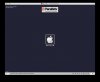
And when trying to install Mavericks from a Recovery Partition as in the instructions I do not get the screen seen on the instructions from the main website. Instead I see a screen with an Apple Logo on it, the message 'Recovery HD' and a bar at the bottom with the line boot: where I can type in.
Have I done something wrong here?
I'm running this on Mac Yosemite also.
I'm using Parallels Desktop obviously.
And when trying to install Mavericks from a Recovery Partition as in the instructions I do not get the screen seen on the instructions from the main website. Instead I see a screen with an Apple Logo on it, the message 'Recovery HD' and a bar at the bottom with the line boot: where I can type in.
Have I done something wrong here?
I'm running this on Mac Yosemite also.
