QuantumDotter
Junior Member
Hi there
I'm trying to install either 10.9 Mavericks or 10.10 Yosemite into a Parallels Desktop 15.1.4 Virtual Machine running on my 2017 iMac with Mojave (10.14.6). Basically, I want to upgrade to Catalina and eventually Big Sur when it comes out, but I have a few 32-bit apps I'm not ready to give up on yet (C&C Generals: Zero Hour, mostly) and one older Steam game that seems to have stopped working post-Yosemite.
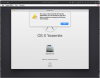
I cannot get either OS to install. I kept the original installers on an archive disk, so they should be fine. But when I try to install Mavericks, I get a grey screen with the spinning loading icon. I left it for over 24 hours in case it was just loading, but nothing. On Yosemite, I get the following error: "This cope of the Install OS X Yosemite application can't be verified. It may have been corrupted or tampered with during downloading." which cancels the install.
Any advice, please?
Cheers,
Dan
I'm trying to install either 10.9 Mavericks or 10.10 Yosemite into a Parallels Desktop 15.1.4 Virtual Machine running on my 2017 iMac with Mojave (10.14.6). Basically, I want to upgrade to Catalina and eventually Big Sur when it comes out, but I have a few 32-bit apps I'm not ready to give up on yet (C&C Generals: Zero Hour, mostly) and one older Steam game that seems to have stopped working post-Yosemite.
I cannot get either OS to install. I kept the original installers on an archive disk, so they should be fine. But when I try to install Mavericks, I get a grey screen with the spinning loading icon. I left it for over 24 hours in case it was just loading, but nothing. On Yosemite, I get the following error: "This cope of the Install OS X Yosemite application can't be verified. It may have been corrupted or tampered with during downloading." which cancels the install.
Any advice, please?
Cheers,
Dan