
Install the app
How to install the app on iOS
Follow along with the video below to see how to install our site as a web app on your home screen.
Note: This feature may not be available in some browsers.
You are using an out of date browser. It may not display this or other websites correctly.
You should upgrade or use an alternative browser.
You should upgrade or use an alternative browser.
Is it possible to configure a macOS guest hardware before installing it?
- Thread starter AndrewT3
- Start date

kat
Product Expert
Hi Andrew T3,
Yes it is, Under Parallels desktop Select file>new>Install Windows or another OS from a DVD or image file>OS X found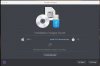
>continue>At this point you will be asked about creating a bootable disk image>continue>
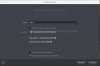
Click on customize settings before installation>continue>
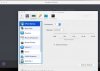
make your selections then follow the prompts to complete installation.
Yes it is, Under Parallels desktop Select file>new>Install Windows or another OS from a DVD or image file>OS X found
>continue>At this point you will be asked about creating a bootable disk image>continue>
Click on customize settings before installation>continue>
make your selections then follow the prompts to complete installation.
Last edited:

Maria@Parallels
Problem solver
Maria@Parallels
Problem solver
Guys if you have any questions about the VM OS configuration just plz let us know.
Maria@Parallels
Problem solver
Is everything working now?Thank you for this.