Is Parallels Version 12.2.0. compatible with macOS Sierrra Version 10.12.4?

GeorgeC3

Bit poster
Hello,
I had to reverse the recent macOS Sierrra Version 10.12.4 to 10.12.3, 4 times now, on both my late 2016 MBP with Touch Bar and 2016 iMac 27' .
It will cause kernel panics, looping reboot and computer freeze.
No problems with Parallels Version 12.2.0 under macOS Sierrra Version 10.12.3, though.
So, here is the question again:
Is Parallels Version 12.2.0. compatible with macOS Sierrra Version 10.12.4?
Thanks, George.
 
Hi @GeorgeC3, please follow the steps suggested below to fix the issue:
In the Terminal window perform the following actions:
Execute the command:

"cp /Library/Preferences/Parallels/network.desktop.xml ."(without quotes)

Execute the next command:

open -e ./network.desktop.xml

NOTE: This command will open Parallels Desktop configuration file in TextEdit application.

Use CMD+F combination on the keyboard to search the file for sections (there are maybe a few of them):

<ParallelsAdapter dyn_lists="">

Change the value from 1 to 0. The result should look like:

<ParallelsAdapter dyn_lists="">

<Enabled>0</Enabled>

To save changes to the file, press CMD+S on the keyboard.

To finish, perform the last command:

"sudo cp ./network.desktop.xml /Library/Preferences/Parallels/" (without quotes)

NOTE: No symbols will be shown due to security measures, so just hit the keys and use return/Enter.
Start Parallels Desktop and let us know how it works.
 
Hello,
I had to reverse the recent macOS Sierrra Version 10.12.4 to 10.12.3, 4 times now, on both my late 2016 MBP with Touch Bar and 2016 iMac 27' .
It will cause kernel panics, looping reboot and computer freeze.
No problems with Parallels Version 12.2.0 under macOS Sierrra Version 10.12.3, though.
So, here is the question again:
Is Parallels Version 12.2.0. compatible with macOS Sierrra Version 10.12.4?
Thanks, George.

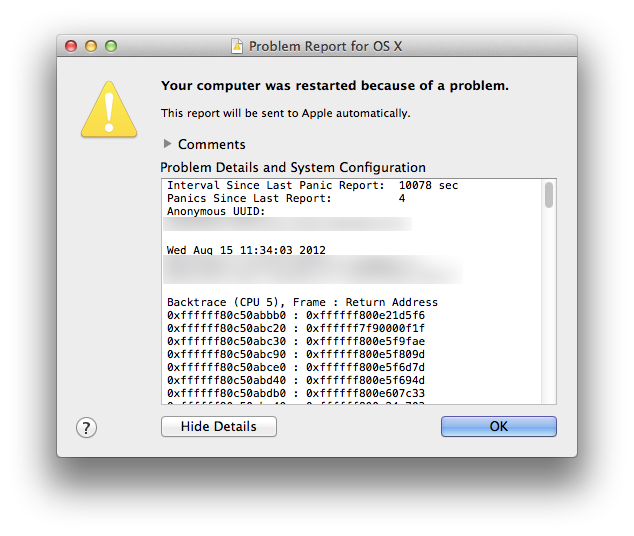
George, if the solution offered by @PaulChris@Parallels will not help, please post the panic report (appears when you login after crash):

report.png
 
Hi Paul, thank you for replying.
I've executed those commands and made changes, except for the last command, it asks for a Password.
I don't use a PW for my MBP, however, the changes appear to be saved.
I've already tried 4 restores from backup, I don't wanna try a 5th time, too depressing.
See, I'm new to Mac after 20 years of Windows and not the IT knowledge type guy.
My mind goes like this and I want you to tell me I'm wrong:
Since Parallels 12.2.0 works fine with macOS Sierra Version 10.12.3(this is what I'm currently using), but crashes under macOS Sierra Version 10.12.4, clearly, Parallels 12.2.0 is not yet compatible with macOS Sierra Version 10.12.4. So, I will wait for the next update when Parallels will work with macOS with no incidents.
 
Back
Top