I just bought parallels a week or so ago. I have two questions:
1. I found out that I've gotten a program that is an older version - I have 3.0 build 4128. How can I upgrade without having to pay more? Is that possible? Did I just get ripped off?
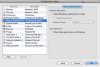
2. When i try to open a document from outside of parallels - in my regular mac environement, it is set to default wordpad and tries to go through parallels. how can i set word as the default to handle that type of document?
THANKS!
1. I found out that I've gotten a program that is an older version - I have 3.0 build 4128. How can I upgrade without having to pay more? Is that possible? Did I just get ripped off?
2. When i try to open a document from outside of parallels - in my regular mac environement, it is set to default wordpad and tries to go through parallels. how can i set word as the default to handle that type of document?
THANKS!