
1. When not in game (i.e., viewing game menus, etc...) the screen size for Star Wars Dark Forces II is very small (about 1/4 the size of the screen - picture 1). When I start playing the game, it grows to normal size.
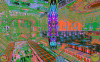
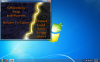
2. However, when I start playing the game, the graphics are all messed up. The color scheme is attached (picture 2). After a bit, it goes away, but some of the graphics continue to glitch (notice the enemy's body has white spots on it. Also, the indicators on the bottom right and left of the screen are off. Finally, if you look at the bottom of the screen, you can see it looks like there is another instance of the game running - picture 3).
3. Lastly, the movement of the hands in game are glitchy as well. When I move my character, he swings his arms back and forward extremely fast. Also, when I punch, it doesn't move the arms but still throws the punch. I would screen shot this, but as it is more movement type errors, I cannot.
NOTE: I am running Parallels on my MacBook Pro (i7, 8gb ram, 2.9GHz processor).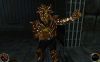
2. However, when I start playing the game, the graphics are all messed up. The color scheme is attached (picture 2). After a bit, it goes away, but some of the graphics continue to glitch (notice the enemy's body has white spots on it. Also, the indicators on the bottom right and left of the screen are off. Finally, if you look at the bottom of the screen, you can see it looks like there is another instance of the game running - picture 3).
3. Lastly, the movement of the hands in game are glitchy as well. When I move my character, he swings his arms back and forward extremely fast. Also, when I punch, it doesn't move the arms but still throws the punch. I would screen shot this, but as it is more movement type errors, I cannot.
NOTE: I am running Parallels on my MacBook Pro (i7, 8gb ram, 2.9GHz processor).