Just updated to Version 10.2.2 (29105) and now my VM won't boot

Jigs Gaton

Product Expert
Hi all I just did the update on my MBA, and I get this:
View attachment 10042
So perhaps this is recoverable? If not, I have last week's backup :( Interesting enough, I did the same update on my iMac which runs a copy of this VM, and all that is fine.
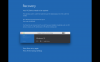
 
Hi all I just did the update on my MBA, and I get this:
View attachment 10042
So perhaps this is recoverable? If not, I have last week's backup :( Interesting enough, I did the same update on my iMac which runs a copy of this VM, and all that is fine.
Hi Coocooforcocoapuffs,
Please try removing Parallels Desktop and re-install again and check how it goes.
To remove Parallels Desktop, please refer to this article, http://kb.parallels.com/122653
To download, please use this link, www.parallels.com/directdownload/pd10

Note: Un-installing and re-installing Parallels Desktop will not affect your virtual machines.
 

Attachments

  • Screen Shot 2015-07-27 at 8.36.28 PM.png
    Screen Shot 2015-07-27 at 8.36.28 PM.png
    431.4 KB · Views: 7
This exact same issue is happening to me. It's very likely something going on with the latest Parallels update. It just so happened I had the previous version - downloaded Win 10, installed it. Ran it, everything worked fine. Got the alert to upgrade parallels. Upgraded, booted Win 10 - got the same error as you. Since the VM was new, I deleted it, thinking the installation was corrupted and a fresh install would fix it. Reinstalled - halfway through the installation process (which only minutes prior before the Parallels upgrade had worked flawlessly) it failed with the exact same error.
 
Back
Top