
Install the app
How to install the app on iOS
Follow along with the video below to see how to install our site as a web app on your home screen.
Note: This feature may not be available in some browsers.
You are using an out of date browser. It may not display this or other websites correctly.
You should upgrade or use an alternative browser.
You should upgrade or use an alternative browser.
Kali Linux 2022.2 Parallels Tools installation
- Thread starter brosenz
- Start date
OlivierProTips
Bit poster
What I do to install Tools on Kali:
- sudo su
- cp -rp /media/cdrom0 /tmp
- cd /tmp/cdrom0
- ./install-gui
Kaliallday
Bit poster
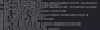
Did you ever find a solution for this? im literally stuck not updating my kali VM for this one reasonI tried gui and tools and I get the attached error.
2022.2 ARM Edition
Any help would be appreciated.
Thanks
Steve

Got it working with these steps.
sudo apt-get update
sudo apt-get install dkms
sudo apt-get install libelf-dev
Downloaded the 3 file from https://http.kali.org/kali/pool/main/l/linux/
linux-headers-5.16.0-kali7-arm64_5.16.18-1kali1_arm64.deb
linux-kbuild-5.16_5.16.18-1kali1_arm64.deb
linux-headers-5.16.0-kali7-common_5.16.18-1kali1_all.deb
sudo dpkg -i linux-headers-5.16.0-kali7-common_5.16.18-1kali1_all.deb
sudo dpkg -i linux-kbuild-5.16_5.16.18-1kali1_arm64.deb
sudo dpkg -i linux-headers-5.16.0-kali7-arm64_5.16.18-1kali1_arm64.deb
Install tools
sudo mount -oro,exec,remount /media/cdrom0
sudo /media/cdrom0/install
Hope that helps.
sudo apt-get update
sudo apt-get install dkms
sudo apt-get install libelf-dev
Downloaded the 3 file from https://http.kali.org/kali/pool/main/l/linux/
linux-headers-5.16.0-kali7-arm64_5.16.18-1kali1_arm64.deb
linux-kbuild-5.16_5.16.18-1kali1_arm64.deb
linux-headers-5.16.0-kali7-common_5.16.18-1kali1_all.deb
sudo dpkg -i linux-headers-5.16.0-kali7-common_5.16.18-1kali1_all.deb
sudo dpkg -i linux-kbuild-5.16_5.16.18-1kali1_arm64.deb
sudo dpkg -i linux-headers-5.16.0-kali7-arm64_5.16.18-1kali1_arm64.deb
Install tools
sudo mount -oro,exec,remount /media/cdrom0
sudo /media/cdrom0/install
Hope that helps.
P
Parallels User
>>> Message has been deleted by the user <<<
Hello Guys, Kali 2022.2 is now supported as a guest OS in the Parallels Desktop version 18. Please refer to this KB article to check the Supported Guest Operating Systems. We would suggest you upgrade the Parallels Desktop to version 18 and please check.
Thank you so much, Asish!Hello Guys, Kali 2022.2 is now supported as a guest OS in the Parallels Desktop version 18. Please refer to this KB article to check the Supported Guest Operating Systems. We would suggest you upgrade the Parallels Desktop to version 18 and please check.
Everything is working perfectly now! Including the "Use All Displays in Full Screen" option, which wasn't working for me no matter what.
You guys at Parallels are awesome!
MauricioC4
Bit poster
Thanks!! It Works in Kali 2022.3. You must update kernel version variable, and /media/kali/"Parallels Toots"Got it working with these steps.
sudo apt-get update
sudo apt-get install dkms
sudo apt-get install libelf-dev
Downloaded the 3 file from https://http.kali.org/kali/pool/main/l/linux/
linux-headers-5.16.0-kali7-arm64_5.16.18-1kali1_arm64.deb
linux-kbuild-5.16_5.16.18-1kali1_arm64.deb
linux-headers-5.16.0-kali7-common_5.16.18-1kali1_all.deb
sudo dpkg -i linux-headers-5.16.0-kali7-common_5.16.18-1kali1_all.deb
sudo dpkg -i linux-kbuild-5.16_5.16.18-1kali1_arm64.deb
sudo dpkg -i linux-headers-5.16.0-kali7-arm64_5.16.18-1kali1_arm64.deb
Install tools
sudo mount -oro,exec,remount /media/cdrom0
sudo /media/cdrom0/install
Hope that helps.
Got it working with these steps.
sudo apt-get update
sudo apt-get install dkms
sudo apt-get install libelf-dev
Downloaded the 3 file from https://http.kali.org/kali/pool/main/l/linux/
linux-headers-5.16.0-kali7-arm64_5.16.18-1kali1_arm64.deb
linux-kbuild-5.16_5.16.18-1kali1_arm64.deb
linux-headers-5.16.0-kali7-common_5.16.18-1kali1_all.deb
sudo dpkg -i linux-headers-5.16.0-kali7-common_5.16.18-1kali1_all.deb
sudo dpkg -i linux-kbuild-5.16_5.16.18-1kali1_arm64.deb
sudo dpkg -i linux-headers-5.16.0-kali7-arm64_5.16.18-1kali1_arm64.deb
Install tools
sudo mount -oro,exec,remount /media/cdrom0
sudo /media/cdrom0/install
Hope that helps.
that was the solution - just install the right header as suggested from the parallel tools
Of course - update your kali after install
some times please fix broken packages ...