L.A. Noire - graphics card not supported problem

imacken

Hunter
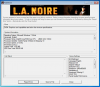
I tend to run most of my games including F1 2011 and Deus Ex pretty successfully on my iMac 2011 3.4GHz - although there are texture loading issues in DE - but with yesterday's release of LA Noire, it won't work. It just gives a Parallels graphic adaptor not supported type message. It works fine in Bootcamp, obviously, but I really hate booting in and out of Windows/OS X.
Is there any way of fooling the game into realising it's a Radeon?
 
Running Windows in virtual machine will always use Parallels video adapter. THis driver helps virtualised environment to work fine on your Mac.

Please reproduce the issue, make some screenshots of the error and generate Problem Report (Help --> Report a problem). Post Problem Report ID here together with screenshots.
 
Thanks. I can't send an error report. Tried several times, just keep getting the error message below.
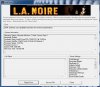
I have also attached a screenshot of the LA Noire error.
 

Attachments

  • LAN.JPG
    LAN.JPG
    86.1 KB · Views: 17
  • LAN2.jpg
    LAN2.jpg
    20.4 KB · Views: 10
Reproduce the error again, open Terminal on the Mac side and put the following command:

prlsrvctl problem-report --send

post the report ID here.
 
imacken,

Thanks for the heads up. Simply changing video hardware id to Radeon won't fix L.A.N. We'll need some to investigate the problem.
 
Thanks for that. Will any update be posted here? It really is annoying as PD7 is doing a great job of stopping me using Bootcamp. Now, I have to go into BC, and when I'm there, I tend to stay for longer than I really want to rather than booting back into OS X.
 
Any solution?

Did anyone find a solution to this. I love PD7 and I'd love to play this game on it. Here's the error if someone can help - that'd be great.

Thanks in advance.
 

Attachments

Exact same problem here.

I've attached my error report.

I should also add, that after I get this error, the process "LAnoire.exe" does *not* quit, and keeps eating up cpu cycles and memory unless I terminate it 'manually' on Windows Task Manager.
 

Attachments

Last edited:
Out of curiosity, I just checked what are the system requirements for this game:
"Video Card: NVIDIA GeForce® 8600 GT 512MB to NVIDIA GeForce® GTX 580 1536MB / Radeon HD 3000 512MB to Radeon HD 6850 1024MB"

My first conclusion by looking at these requirements is that it needs at least 512 MB of Video memory. All of you who are having problems with this game, do you have less than 512 MB Video RAM assigned to the Virtual Machine? If you up it to 512 Mb or higher, does it work?

My second conclusion, which I hope isn't true, is that the game looks for those specific NVIDIA and AMD cards within those intervals.
 
Last edited by a moderator:
Hi all,, im having the same problem on my PD6. My graphic card is AMD Radeon HD 6970M. Is there any solution?? Don't know what to do, please help!!!!
 
Last edited:
I've attached my error report.

I should also add, that after I get this error, the process "LAnoire.exe" does *not* quit, and keeps eating up cpu cycles and memory unless I terminate it 'manually' on Windows Task Manager.

Im having the same situation, can u play now?
 
No; a solution to this hasn't been released, as far as I know.

I've actually uninstalled the game. If I have enough of a motivation to install Boot Camp at some point (say, if Mass Effect 3 doesn't work on P7) I might take a look; otherwise it's just been a waste.
 
Back
Top