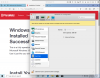
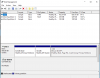
I have both a boot camp windows installed on a PVMe drive. The Windows instance itself boots fine when I boot directly using the boot loader, but when I try to boot inside of Mac OS Catalina, it never succeeds to boot the first time.
After some digging, I found it was restarting over and over with the same log messages (attached). Most interesting ones, I believe, are here:
This repeats over and over. After hours, no progress is made and Parallels continues to retry in this infinite failing boot loop.
Other VMs (Debian LINUX) work just fine with full graphics acceleration. It is just the windows bootcamp VM that fails like this.
After some digging, I found it was restarting over and over with the same log messages (attached). Most interesting ones, I believe, are here:
Code:
10-19 21:21:21.647 F /USB:1368:768d/ [UHC2:203a:fffb:03.81i] ep create:  dscr 07:05, attr 03, mps 0008, interval 0A; streams_count 0
10-19 21:21:21.671 F /monitor/ [AHCI] Enable Command Queue Acceleration
10-19 21:21:21.671 F /monitor/ [SATA0] controller reset
10-19 21:21:21.671 F /monitor/ Enable AHCI mode
10-19 21:21:21.678 F /monitor/ OTG print:  Valid primary and !Valid backup partition table
10-19 21:21:21.678 F /monitor/ OTG print:  Restore backup partition table by the primary will NOT be made
10-19 21:21:21.695 F /monitor/ OTG print:  Valid primary and !Valid backup partition table
10-19 21:21:21.695 F /monitor/ OTG print:  Restore backup partition table by the primary will NOT be made
10-19 21:21:21.717 F /monitor/ OTG print:  Valid primary and !Valid backup partition table
10-19 21:21:21.717 F /monitor/ OTG print:  Restore backup partition table by the primary will NOT be made
10-19 21:21:21.734 F /monitor/ OTG print:  Valid primary and !Valid backup partition table
10-19 21:21:21.734 F /monitor/ OTG print:  Restore backup partition table by the primary will NOT be made
10-19 21:21:21.744 F /monitor/ OTG print:  Valid primary and !Valid backup partition table
10-19 21:21:21.744 F /monitor/ OTG print:  Restore backup partition table by the primary will NOT be made
10-19 21:21:21.755 F /monitor/ OTG print:  Valid primary and !Valid backup partition table
10-19 21:21:21.755 F /monitor/ OTG print:  Restore backup partition table by the primary will NOT be made
10-19 21:21:21.757 F /monitor/ OTG print: PlatformBdsBootFail: Not Found
10-19 21:21:21.766 F /USB:1368:768d/ [UHC] DMA Stopped
10-19 21:21:21.778 F /monitor/ OTG print: UEFI: Do legacy boot. PCI: 00|1F|07 type:2 drive:0x00
10-19 21:21:21.778 F /monitor/ EHC controller reset
10-19 21:21:21.779 F /monitor/ Keyboard Controller: system reset
10-19 21:21:21.779 F /monitor/ Send system reset (VCPU0)
This repeats over and over. After hours, no progress is made and Parallels continues to retry in this infinite failing boot loop.
Other VMs (Debian LINUX) work just fine with full graphics acceleration. It is just the windows bootcamp VM that fails like this.