linked clone failure

DarrallC

Bit poster
I want to set up a linked clone of my Windows 10 Parallels 13 desktop, so I can run a trial version of accounting software. However, when I close down the W10 virtual machine, and click on FILE/LINKED CLONE and then the next dialogue, I get this message:

The operation failed.
To perform this operation, you must enter the host OS administrator's credentials.

However, there is nowhere to enter my administrator password. What is going on here?
 
Greetings,
I am having the same problem, trying to create a virtual machine from Boot Camp, so I can move to a new mac.
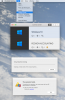
Here is a screen shot...
upload_2019-7-21_11-17-43.png
Like DarrallC, I don't know where to go to enter admin credentials.

Thanks,
Eric b.upload_2019-7-21_11-17-43.png
 
Maria, I have the same issue with my Windows 10 vm, though not sure how it was triggered after the upgrade to Parallels Desktop for Mac 15 Professional Edition. The effect is to render the vm unusable, as the error occurs endlessly and doesn't not dismiss. I've logged a ticket with support. Ticket id is: Parallels #2642155
 
I was able to resolve this by finding the Windows 10.pvm image (after closing the app) and resetting the permissions for me to be the default administrator.
 
Thank you so much for the reply. I already went back to parallels 14 using time machine but will re-update soon and try your solution. I had some other issues with 15--e.g. it didn't recognize the built in microphone of my macbook pro???
 
How do you close the app when it keeps showing the error message? Even force quit seems to just put it to sleep rather than have it quit? I looked at the permisssions of the .pvm file and it seemed appropriate. Any further advice? Any response from tech support for your ticket number?
 
I also started receiving this error after upgrading to 15. I haven't received a response from support, but after digging around I found a solution. Configure your VM, go to security and check all 4 "require password to..." options. The machine will then boot without generating the error. It appears that after booting the VM and shutting down, you can safely uncheck those 4 options.
 
Also I keep getting this error after upgrading, and it just randomly occurs - I get a pop-up dialogue box and hitting enter gets rid of it just long enough for me to click in the guest VM... it takes me about 2 mins to be able to shutdown the guest VM. I then go into Parallels Preference -> Advanced and reset the error warnings, then go into the VM configuration and restart the VM and the problem stops... until the nexttime.
 
Guys, we've already involve the Parallels Engineering team to the issue investigation.
But could you also please reproduce the issue and generate the tech.report right after that.
We're looking forward to your replies with the report's ID.
 
The following solution worked for me. I was getting the same error, only after upgrading to Version 15. I submitted a Technical Report.Thanks to MichaelP43
I also started receiving this error after upgrading to 15. I haven't received a response from support, but after digging around I found a solution. Configure your VM, go to security and check all 4 "require password to..." options. The machine will then boot without generating the error. It appears that after booting the VM and shutting down, you can safely uncheck those 4 options.
 
Sorry, not so. The solution worked once (MichaelP43's suggestion) but the never-ending error message/window is back. :(
 
Back
Top