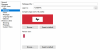
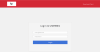
Login screen - Branding custom logo

OlavV

Bit poster
Hello,

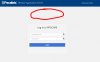
Perhaps someone can help me. I would like to have our company logo in the middle of the screen (see screenshot) Been digging into the CSS a bit but I have not been able to find something. I would like the top logo as it is if possible.

Is there anyone that can post the code, and where to put it, to have our logo on the Login screen?

Thank you in advance.
 

Attachments

  • parallels-logo.jpg
    parallels-logo.jpg
    47.7 KB · Views: 11
Hi Olav, is your logo big? You can put it in the top left corner as it is supported by themes. Doesn't it work for you?
upload_2020-4-20_10-5-10.png
upload_2020-4-20_10-4-48.png
I think it's possible with a css, but if you rely on custom css then next time you update RAS it will overwrite your css with the official one. It makes the update process a little but more complex, especially if the official css with changed a little.
 
Thans for the reply.

I'd like to keep the original one there. We have a blue header and our logo looks terrible with that color.

I know it's custom so i have to keep a backup of the code. Was just wondering if someone did this before.
 
I know it's custom so i have to keep a backup of the code.

As you said, this is custom, so it is unsupported and you will have to keep maintaining your modifications every time there is an update and hope that it does not break anything. Going with Eugene's suggestion is the ideal case, possibly adding some kind of non-blue background to the log to make it look pretty.

If that is not acceptable, and since you were already toying with the css, you should already know where to find the files that you need to modify.
In that case, load the login page in your browser and use the dev tools to find the location in the html where you want to put the changes (e.g. the div with "login-box"). Then simply add a centered image like so:
HTML:
<img style="display:block; margin-left:auto; margin-right:auto; width:100px" src="path to image">

To have your changes applied, you will have to restart the Html5 gateway (e.g. by disabling it, applying the settings, enabling it again, and re-applying).
 
Back
Top