Mac OS High Sierra authorization failed during installation process

PatrickB11

Bit poster
I am running Mas OS 10.13.4 (High Sierra) on iMac 2017.
I just bought the last update of Parallels DeskTop 13, got the key, launched the dmg and installation program, then got the message asking to open security preferences to authorize loading Parallels' system components. So far, so good!
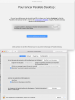
BUT, if I click on the Athorize button of the Security windows of Apple system preferences nothing happen even if I unlock the window to allow modifications!
See attached screen dump if necessary.
What is the clue?
Thanks for your help.
 

Attachments

  • Capture d’écran 2018-06-19 à 10.50.11.png
    Capture d’écran 2018-06-19 à 10.50.11.png
    538.4 KB · Views: 2
I am running Mas OS 10.13.4 (High Sierra) on iMac 2017.
I just bought the last update of Parallels DeskTop 13, got the key, launched the dmg and installation program, then got the message asking to open security preferences to authorize loading Parallels' system components. So far, so good!
BUT, if I click on the Athorize button of the Security windows of Apple system preferences nothing happen even if I unlock the window to allow modifications!
See attached screen dump if necessary.
What is the clue?
Thanks for your help.
Hello PatrickB11, please follow these steps to disable SIP:
1.Reboot the Mac and hold down Command + R keys simultaneously after you hear the startup chime, this will boot OS X into Recovery Mode
2.When the "OS X Utilities" screen appears, pull down the 'Utilities' menu at the top of the screen instead, and choose "Terminal"
3.Type the following command into the terminal then hit return: "csrutil disable; reboot"
4.You'll see a message saying that System Integrity Protection has been disabled and the Mac needs to restart for changes to take effect, and the Mac will then reboot itself automatically, just let it boot up as normal
 
I have the same issue and am very uncomfortable disabling System Integrity Protection (SIP). Seems very counter intuitive to disable such a low level security feature. Will OS High Sierra VM work if SIP is enabled after completing OS High Sierra installation and the VM is working?
 
Hi there! Worked fine. Thanks.
Glad to hear that. Please reach out again for any additional queries.
I have the same issue and am very uncomfortable disabling System Integrity Protection (SIP). Seems very counter intuitive to disable such a low level security feature.
Hello JamesS19. You can attempt these steps to try resolving the issue initially reported in this thread.
Will OS High Sierra VM work if SIP is enabled after completing OS High Sierra installation and the VM is working?
Yes, it should.
 
I easily turn SIP back on, following the same steps but typing in "csrutil enable" and enter key, then Restart the Mac again.
Being back to the previous situation with parallels installed, I used the steps described under the link provided by Hemnath and again it worked great.
Patrick
 
Back
Top